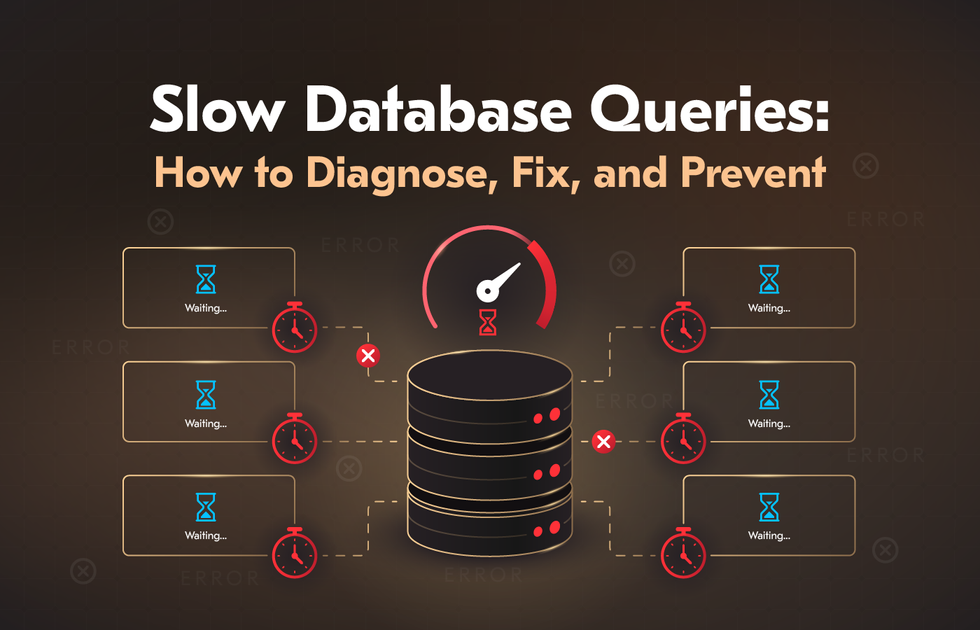
Your app didn’t slow down because of a bad deployment or a traffic spike. It slowed down because somewhere in your stack, a query is scanning 5.7 million rows to return one. The database is doing exactly what it was told. There’s just no index on visibility_level, and nobody caught it before it hit production.
That’s the uncomfortable part. Slow queries rarely announce themselves in development. Test datasets are small, load is low, and everything clears in under a second. The problem surfaces when a missing index becomes a full table scan or a single long-running report holds a lock that puts 40 user sessions on hold. By then, the symptom is a timeout, a pager alert, or a customer complaint. The cause is a query that’s been running this way for weeks.
Most teams treat it as a backend task. Profile the slow query, add an index, close the ticket. That works once. Acropolium’s backend team has seen what happens when it doesn’t scale or when the same class of issue reappears after every release cycle because no diagnostic layer exists between the code and production. This guide covers how to break that pattern: how to find slow queries before users do. We will address the common questions: what fixes actually hold under load, and how to build the monitoring layer that makes the next incident shorter.
What Causes Slow Database Queries?
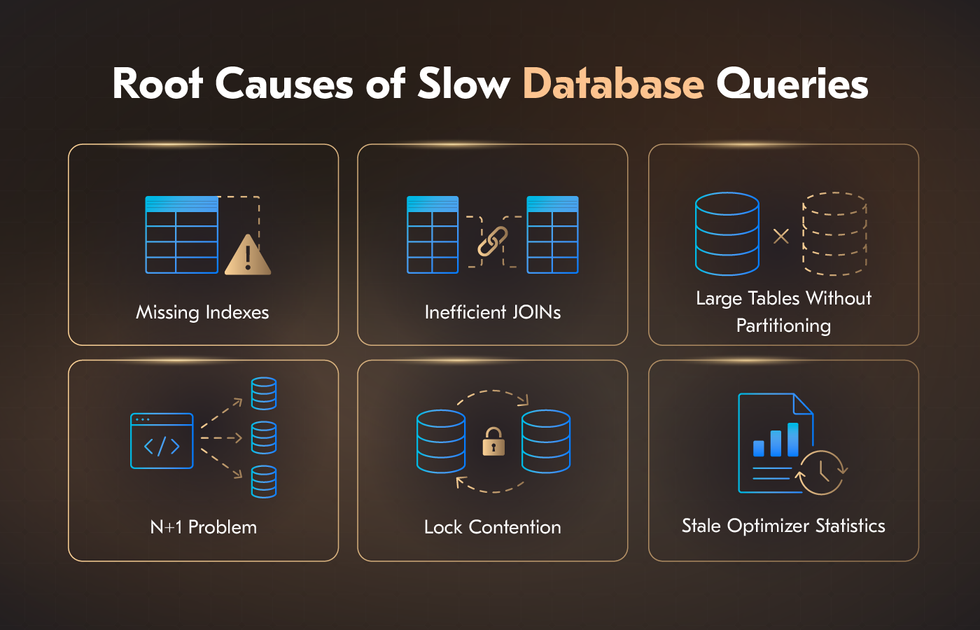 Performance problems in production databases come from a predictable set of issues. The same six slow SQL query causes account for the majority of incidents across systems of any size.
Missing or improper indexes are the most common
Without an index on the column you’re filtering by, the database reads every row in the table to find a match. On a table with millions of records, a name lookup becomes a full scan. It includes high CPU, high I/O, and a query that takes seconds instead of milliseconds. The fix is straightforward; the problem is that missing indexes are invisible until the table is large enough to make them hurt.
Inefficient JOINs compound the issue
In distributed systems, joining two large tables that aren’t co-located forces the engine to shuffle data across the network. This adds a significant latency cost even before you factor in memory spills if intermediate results exceed what’s available. The optimizer tries to choose the best join strategy, but it can only work with what the schema gives it.
Large tables without partitioning produce a specific kind of slowdown
A dashboard query fetching data for a single user from a table partitioned only by date has to scan every partition. The query is correct. The structure makes it expensive.
The N+1 problem multiplies database round-trips
The N+1 problem is mostly application-side but shows up in database metrics fast. A parent query returns 500 rows; the application fires a separate query for each one to fetch related data. That’s 501 database round-trips for what should be a single join. It often originates at the API layer, poorly structured endpoints that fetch data incrementally. Custom API data integration done right eliminates this at the design stage. Easy to miss in code review, obvious in production traces.
Lock contention doesn’t always look like a database problem at first
Sessions queue up, response times climb, and the system appears overloaded. The root cause here is one long-running transaction holding a lock that everything else is waiting on. Under concurrent load, one blocked query becomes ten.
Stale optimizer statistics cause regressions that look like bugs
The query hasn’t changed. The data distribution has. The optimizer, working from outdated metadata, picks a join order or access path that made sense six months ago and doesn’t now. A query that ran in 300 milliseconds starts taking 4 seconds, and nothing in the code explains why. Running ANALYZE on the affected table often resolves it, but only after someone spends time figuring out that statistics were the cause.
All six are detectable before they reach users, if the right diagnostics are in place.
How to Identify Slow Queries in Production
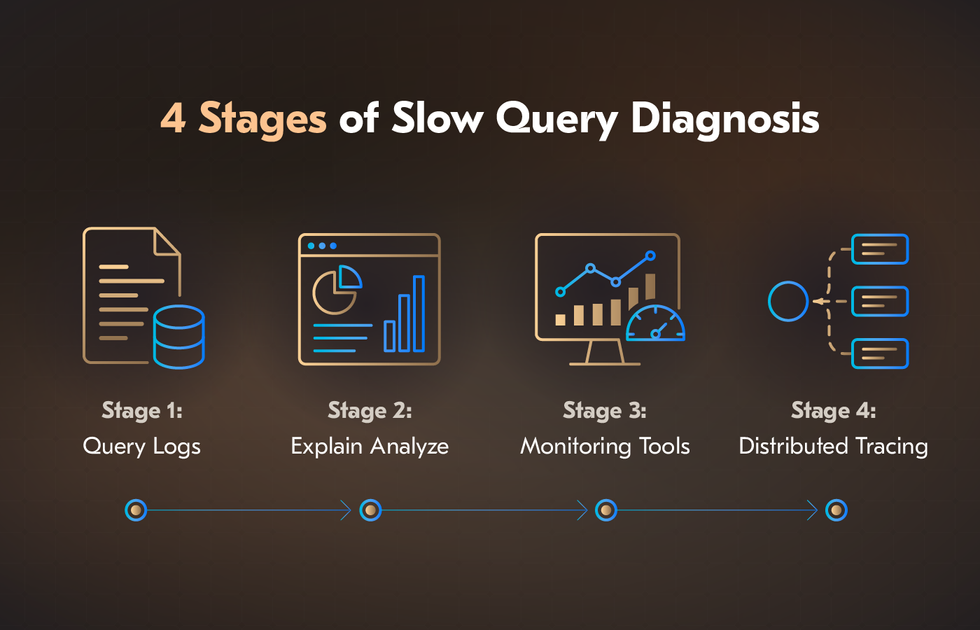
Finding a slow db query after a user reports it is the worst version of this process. By then you’re working backward: correlating timestamps, pulling logs, hoping the query appears in something you’re already monitoring. The better version starts before the incident.
Stage 1: Catch what’s slow with query logs
Both MySQL and PostgreSQL log queries that exceed a configured time threshold. In high-traffic systems, that threshold sits around 1 second. It is low enough to catch meaningful slowdowns, high enough to avoid noise. The logs tell you what ran slow. They don’t tell you why.
Stage 2: Read the execution plan
EXPLAIN shows the path the optimizer chose before running the query. EXPLAIN ANALYZE runs it and shows what actually happened. It is always about the real row counts, real execution time, real deviations from the estimate. The gap between estimated and actual rows is usually where the problem is. A sequential scan on millions of rows or a missing partition filter appears in the plan output. One PostgreSQL case produced an estimated execution time of over 1,200 years. The reason for it was that the query created a Cartesian product.
Stage 3: Monitor over time
Logs and execution plans show individual queries. Datadog, New Relic, and pgBadger show patterns. P99 latency, resource consumption per query, frequency of slow queries by endpoint surfaces a problem before users do. pgBadger parses PostgreSQL logs and ranks the worst offenders by total time consumed. Datadog and New Relic connect query performance to deploys. So a regression introduced in a specific release doesn’t take days to trace back.
Stage 4: Trace queries back to their source
In distributed systems, knowing a query is slow isn’t always enough. Tools like Jaeger and SigNoz map individual SQL queries to the API calls that triggered them. When the slow query isn’t obvious from the database side alone or when one endpoint is generating dozens of redundant queries, distributed tracing is what finds it.
How to Fix Slow Database Queries
Most fixes for slow queries fall into one of three categories: indexing, query rewriting, and configuration. The right one depends on what the execution plan shows.
Add the missing index
The most common fix and the highest-impact one. If EXPLAIN shows a sequential scan on a large table, the first question is whether an index exists on the column being filtered. If it doesn’t, creating one can drop response times dramatically. In one financial API case, adding indexes on reference fields brought query time from 8 seconds to under 300 milliseconds and cut CPU usage by 60%.
For queries that filter on multiple columns, a composite index covering both columns in the right order will outperform two separate indexes. For queries where every required column can be included in the index itself, a covering index eliminates the base table lookup entirely.
Rewrite the query
Indexes don’t fix poorly written SQL. Several patterns consistently produce slow queries regardless of schema:
Functions on indexed columns prevent the optimizer from using the index. Filtering by year using a date function forces a full scan even if the date column is indexed. Rewriting it as an explicit date range lets the index work.
Correlated subqueries run once per row in the outer query. On large tables that’s not a subquery, it’s a loop. Replacing them with inline views that calculate aggregates once removes the repetition entirely. The difference in execution time is often an order of magnitude.
SELECT * pulls every column including ones the application never uses. Selecting only what’s needed reduces memory usage, network transfer, and in some cases allows a covering index to satisfy the query without touching the base table.
EXISTS over IN for presence checks. An IN subquery reads every row of the inner table for every row of the outer one. EXISTS stops as soon as it finds a match. On a 1,000-row slow SQL query example, IN reads 1,000,000 row comparisons; EXISTS reads at most 1,000.
Update optimizer statistics
If the execution plan looks wrong, the optimizer chooses a full scan over an available index, or joins tables in an order that doesn’t match the actual data distribution. Stale statistics are often the cause. Running ANALYZE on the affected table gives the optimizer current data to work with. In one documented case, it improved query runtime from 1.5 seconds to 0.67 seconds without any schema or query changes.
Fix at the application layer
Some slow queries aren’t a database problem. An ETL job that checks whether a table is empty by running a full select on it adds hours of unnecessary overhead. Replacing it with a single-row or aggregate check solves it without touching the schema. Similarly, fetching full records into the application only to use one field wastes both the query and the memory that holds the result. Pulling only the required column at the SQL level removes the overhead before it starts.
How to Prevent Slow Queries at Scale
Fixing SQL database slow queries in production is reactive by definition. The incident already happened, someone already noticed, and the fix is already late. Prevention is a different problem.
Make indexes part of the design process
The columns that need indexes are usually known before the first query runs: foreign keys, filter columns, sort columns on large tables. The question is whether that knowledge gets applied during schema design or after the first performance complaint.
A few rules that hold across most systems:
Composite indexes should be ordered with the most selective column first. The one that eliminates the most rows goes at the front
Covering indexes, which include every column a query needs, let the engine answer the query from the index alone without touching the base table
Every index added speeds up reads and slows down writes. An index that improves a reporting query by 80% but degrades a high-volume write path by 30% may not be a net win
That last point requires knowing which operations run at what frequency before making the change. Systems with heavy write loads need to track this balance deliberately.
Catch bad queries before they deploy
Shopify runs EXPLAIN automatically on every new query in CI and blocks the merge if a full table scan is detected. The mechanism is an ActiveRecord subscriber that intercepts new queries, runs the execution plan. This setup can also fail the build on specific red flags: full scans, hash matches on large datasets, missing partition filters.
Without full automation, running execution plans against production-sized datasets during code review catches most problems before they ship. The keyword is production-sized. A query that returns in 10 milliseconds on a 10,000-row test table can take 40 seconds on the production table with 50 million rows.
Small datasets mislead. Experienced engineers might approve queries that look fine. Because they genuinely are fine at that scale. The issue surfaces three months later when the table grows into it. Treating query performance as part of software testing and QA helps close that gap before it reaches production.
Some teams address this with thin cloning. This process involves anonymized, production-scale database snapshots that developers query against locally. It removes the guesswork from SQL query performance tuning without exposing real data.
Partition large tables before they become a problem
Horizontal partitioning on tables over 2GB reduces scan scope. Other advantages are parallel processing, and making the engine skip entire partitions that don’t match the query. A query that previously scanned the full table now touches only the relevant partition. The execution time difference can be an order of magnitude.
Two things to get right before implementing:
Partition pruning only works when the query includes the partition key in its filters. A table partitioned by date where the application queries by user ID gets no benefit. Still, the engine still scans every partition
Schema design and query patterns need to be planned together. If the two most common access patterns use different keys, the table may need a different partitioning strategy, a secondary index, or both
For systems at global scale, vertical sharding reduces the blast radius of any single slow query. A heavy analytics workload running on the same instance as transactional queries creates lock contention. The result is resource contention that indexing alone won’t resolve.
Manage connections under load
A slow query that holds a connection for 30 seconds under high concurrency doesn’t just hurt that one user. It holds a connection other requests need, and if the pool fills before the slow query completes, new requests start queuing or failing. This is how a single bad query brings down a system that otherwise has capacity to handle the load.
Three mechanisms that limit the damage:
Connection pooling via ProxySQL multiplexes application connections into a set of database connections. It reduces overhead and enables transparent routing, sending read queries to replicas and write queries to primary without application code changes.
Query timeouts destroy requests that exceed a set threshold. It may prevent a slow query from holding resources indefinitely.
Circuit breakers stop sending traffic to a degraded database instance before a partial failure becomes a total one
None of these fix the underlying query. They limit how much damage it causes while the fix is in progress.
Cache what doesn’t need to recompute
Not every slow query needs to be optimized. Some just need to run less often. Three caching approaches worth knowing:
Redis or Memcached for frequently executed queries against data that changes slowly. The result is computed once, stored, and served from memory. For read-heavy workloads this can reduce database load by 40% without schema changes.
Materialized views for complex aggregates. There are often financial summaries, risk calculations, dashboard metrics. The view stores the precomputed result and refreshes on a schedule or incrementally. A query that previously joined five tables across millions of rows reads from a single pre-built result set instead.
Buffer cache pinning for small, frequently accessed reference tables. Keeping them in memory permanently removes the I/O cost from every query that touches them.
Monitor for regressions
P99 latency spikes, error rate increases, timeout alerts are symptoms of slow database queries. By the time they fire, the slow query has been running for minutes or hours. The more useful signals are earlier:
Query cost trending upward over days
Slow query log volume increasing after a specific deploy
Execution plans changing on queries that haven’t been touched
Tools like SQL Server Query Store and PostgreSQL’s pg_stat_statements keep query and plan history over time. When a query that ran in 200 milliseconds last week now takes 2 seconds, these tools show exactly when the plan changed and what it changed to. That narrows the investigation from “something is slow” to “this query switched from an index scan to a sequential scan on Tuesday after the 14:00 deploy.”
For teams running on cloud infrastructure, cloud computing solutions like CloudWatch and Grafana add the observability layer to their architecture. It connects query-level metrics to the broader system.
Anomaly detection tied to deployment timestamps catches this earlier than general CPU monitoring. Many query regressions produce subtle latency increases that compound under load. When the team correlates SQL query performance tuning metrics with deployment events, it leads to a starting point that isn’t a blank screen.
How Acropolium Helps Teams Fix Database Performance Issues
Database performance problems rarely exist in isolation. A slow query is usually a symptom of something deeper. For example, a schema that wasn’t designed for the query patterns it now handles or an architecture that made sense at launch and doesn’t at scale. These are digital transformation problems as much as engineering ones, and getting to the underlying structure is what produces durable results.
Acropolium’s approach starts with profiling: identifying where time is actually spent before making any changes. Query-level diagnostics, execution plan analysis, load profiling across the full stack. From there, the work covers database query optimization, index design, caching layer implementation, schema refactoring, and restructuring of async patterns where needed. The goal is to remove the performance problem at its source rather than scaling around it.
If your system shows the same signs (queries slowing down as data grows, infrastructure costs climbing without a clear cause, or performance issues appearing after every release cycle), Acropolium’s backend development team can help you identify the root cause of the problem and fix it with database query optimization techniques without a full rewrite. Contact us.