The global serverless architecture market is projected to reach $50.09 billion by 2030, growing at a 28.2% CAGR. These figures prove that more and more companies are switching from server-based infrastructure to serverless ones as part of their digital transformation process. Still, they are faced with a serious decision – which framework fits what they are building?
Backend as a Service (BaaS) and Function as a Service (FaaS) are 2 most popular cloud service models. They both eliminate infrastructure expenses, but do that in different ways. Choosing the wrong one not only impacts your operational speed, but also shapes every architecture decision that follows.
This guide breaks down the differences between serverless architecture BaaS and FaaS, the unique features of every model, pros and cons, the most suitable use cases, and particular business advantages for businesses. If you are evaluating serverless architecture for a new project or reconsidering an existing one, you will find decision-ready information here.
Key Takeaways
BaaS and FaaS both remove infrastructure overhead, yet BaaS offers pre-built managed services while FaaS provides custom, event-driven function control.
Cost models diverge significantly between the two. BaaS uses predictable subscription or usage-based pricing, whereas FaaS charges per invocation.
BaaS limits architectural freedom due to proprietary APIs, while FaaS offers higher customization but demands greater developer responsibility.
BaaS and FaaS are not mutually exclusive in production. Many real-world systems combine BaaS for standard backend infrastructure with FaaS for custom logic, integrations, and data transformations.
BaaS vs FaaS: Key Advantages and Disadvantages
Before getting into architecture details, here is a direct comparison so you know what you are weighing:
BaaS vs FaaS: Core Features and Differences
| Criteria | BaaS | FaaS |
|---|---|---|
| Setup complexity | Low – provider supplies pre-built backend services | Medium – functions require code, deployment, permissions, and trigger configuration |
| Customization | Usually limited to provider features and extension mechanisms | High – developers control function logic and runtime settings |
| Scalability | Usually managed by the provider, subject to quotas and plan availability limits | Often granular, per-function auto-scaling, subject to platform limits |
| Cost model | Subscription and/or usage-based pricing | Typically pay per invocation and resource consumption |
| Vendor lock-in risk | Often high because of proprietary APIs and data models | Medium to high; reduced by portable runtimes and abstraction layers |
| Best for | MVPs, mobile/web apps, authentication, managed databases, rapid builds | Event-driven workloads, APIs, background jobs, automation, and workflow components |
| Maintenance burden | Lower infrastructure burden, but configuration and application maintenance remain | Moderate; increases with function count, integrations, and deployment complexity |
| State management | Usually provided through managed databases, storage, or authentication services | Generally stateless; persistent state requires external databases, caches, or storage |
| Cold start latency | No user-managed function cold starts, though provider-side latency may occur | Possible for idle or newly scaled functions; provisioned capacity can reduce it |
Differences between BaaS and FaaS

BaaS gives you pre-built, managed backend services that you configure and consume through APIs or SDKs.
FaaS gives you a managed runtime in which you deploy and run individual, usually event-triggered functions.
With BaaS, the provider handles authentication, databases, storage, and APIs, abstracting away server resources entirely. Your team connects them to the frontend. With FaaS, you write the logic yourself, and the provider handles execution infrastructure.
The execution models differ meaningfully. BaaS services run continuously and respond to requests through managed APIs. FaaS functions run inside ephemeral containers, making them stateless and short-lived. They spin up on demand, execute, and stop. That difference has a direct impact on latency, cold start performance, and the way you manage application state.
Cost structures also diverge. BaaS typically charges per active user, feature tier, or by data volume. In other words, you have a predictable amount regardless of how many backend operations happen per session. FaaS pricing is granular. You pay per invocation and compute time, which is cheaper for unpredictable or low-volume workloads but can spike under sustained load. At high volume, FaaS operational costs require careful monitoring. At low volume, the savings over a BaaS subscription can be significant.
Control is another dividing line. With BaaS, the provider defines the available data-storage model, authentication mechanisms, APIs, SDKs, integrations, scaling limits, and infrastructure configuration. Your team can configure data schemas, user roles, security rules, and supported login methods, but generally operates within the provider’s platform constraints. With FaaS, you write and control the application code and custom logic, while the provider runs and scales it. Your team remains responsible for the function design, security, integrations, data handling, testing, monitoring, and operational quality of the system.
What Is BaaS (Backend as a Service)
Backend as a Service (BaaS) is a cloud computing model in which a third-party provider manages all the technical infrastructure on the backend side and exposes it through APIs and SDKs. You get ready-made capabilities (user authentication, push notifications, real-time databases, file storage) without building or hosting any of it yourself.
BaaS became highly demanded with the rise of mobile app development, where frontend teams needed to launch functional backends quickly without building and operating all backend infrastructure from scratch. Today, it is used widely for mobile app backends, web applications, MVPs, and internal tools where standard backend functionality covers most requirements. In practice, a small team can ship a working app with authentication, a database, push notifications, and cloud storage in days.
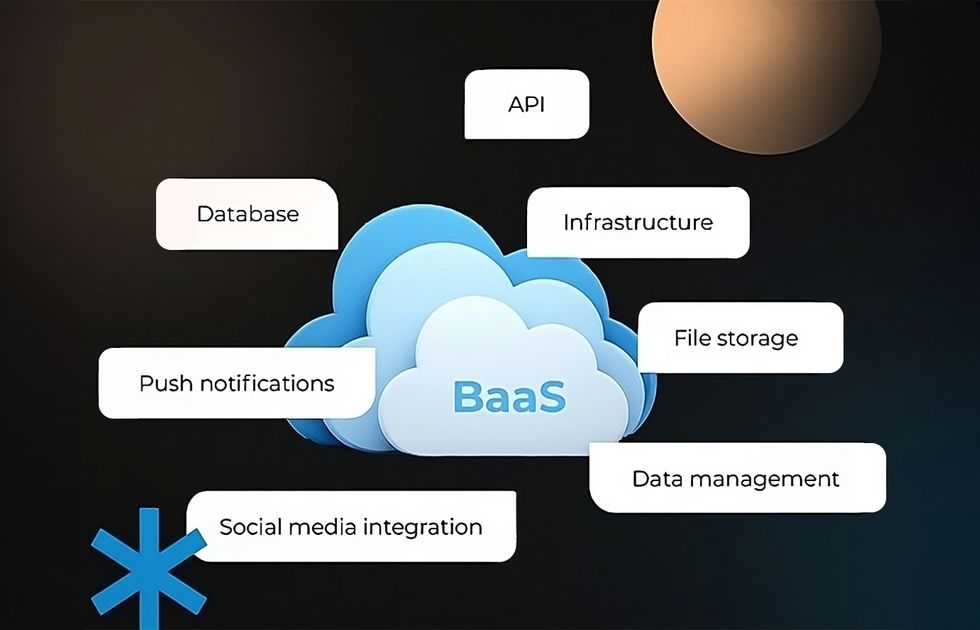
The BaaS market has matured considerably. Providers now cover a wide range of use cases, from ready-made solutions for rapid application development to enterprise-grade systems with compliance controls, SSO integration, and custom domain support.
If you need more flexibility than an off-the-shelf platform can provide, Acropolium offers BaaS development services to create secure, scalable backend solutions tailored to specific technical and operational requirements. To choose the right approach, it is important to consider the required features, integration options, scalability, and customization potential.
Pros of BaaS
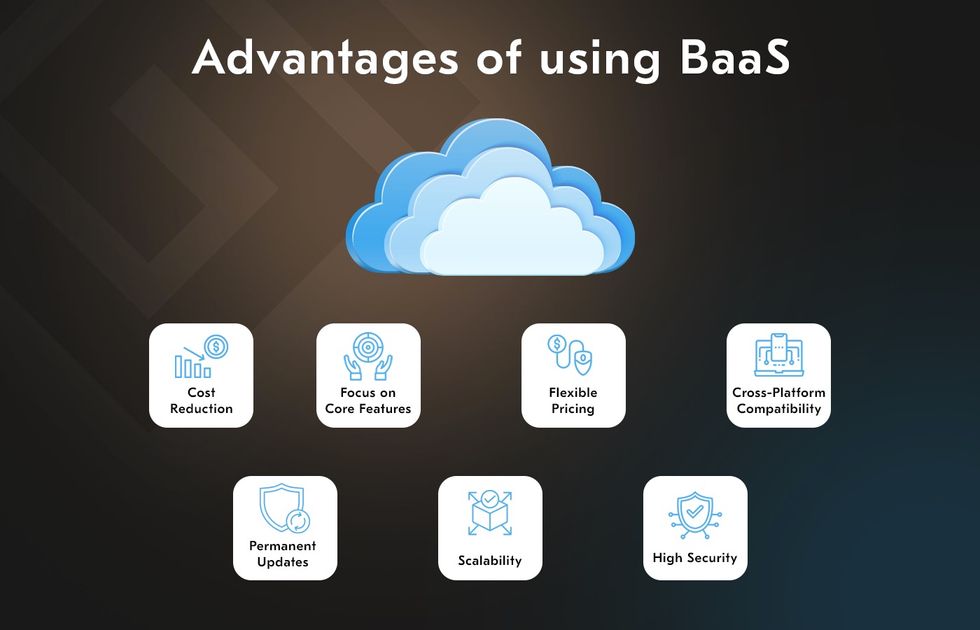
Faster time to market. With pre-built auth, database, and storage modules, you don’t have to manage servers and spend weeks on backend setup. This is particularly important for products with standard functionality.
Reduced operational expenses. The provider manages infrastructure provisioning and platform maintenance, so your team can focus solely on product.
Managed scalability. BaaS platforms adjust backend resources automatically as demand shifts, enabling stable application development even during traffic spikes.
Lower barrier for frontend teams. SDKs and visual tools help frontend teams with limited backend experience handle common backend tasks.
Potential cost savings for early-stage products. Skipping custom backend infrastructure reduces upfront investment for prototypes and MVPs.
Integrated services. Authentication, storage, databases, and notifications typically come pre-connected within a BaaS ecosystem, delivering smooth user integrations out of the box.
Cons of BaaS
Platform dependency. When you rely on a single provider’s APIs and SDKs, it becomes harder to migrate the codebase later. The managed services that BaaS providers offer vary across BaaS vendors, and switching platforms typically implies rebuilding more than most teams budget for.
Usage-based cost increases. Early pricing looks manageable, but charges tied to database management operations, storage, and bandwidth grow with the product. Without regular cost monitoring, bills can increase unexpectedly.
Reduced infrastructure control. The provider sets the rules on architecture, service availability, and upgrade schedules, including uptime requirements. When those decisions conflict with your requirements, your options for working around them are limited.
Top BaaS Providers
The provider you pick impacts your development speed, architecture options, ongoing costs, vendor dependency, scalability ceiling, and customization freedom. Below, there are 4 top options worth considering. Each suits a different type of project and team.
Acropolium
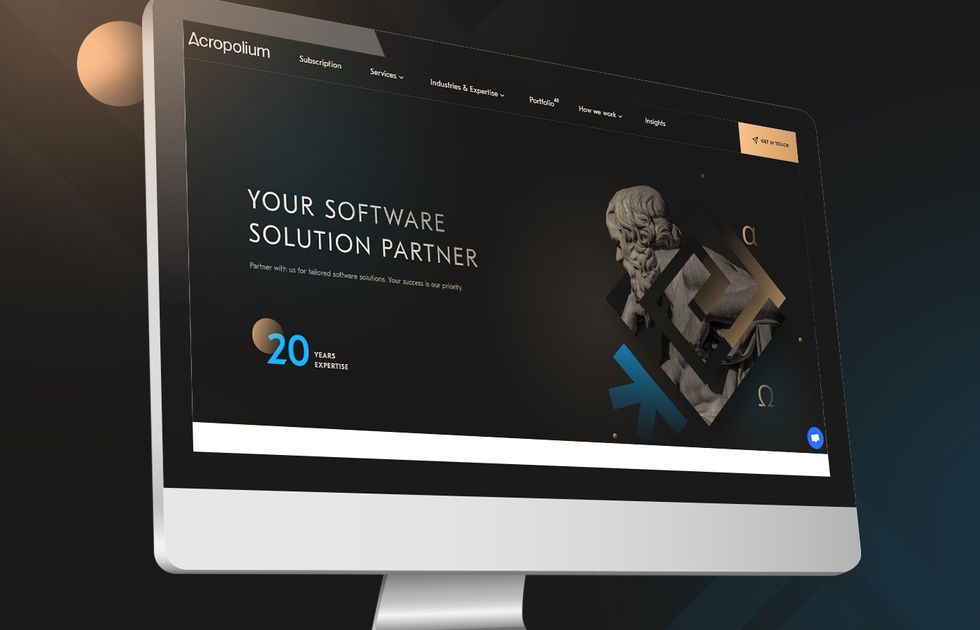
Acropolium is a reputable software development company with over 23 years of experience building custom backend solutions for enterprise and mid-sized businesses. Unlike off-the-shelf BaaS platforms that impose data models and feature constraints, Acropolium designs and implements custom BaaS development architectures aligning with specific business requirements.
Acropolium’s engineering teams work across fintech, logistics, healthcare, hospitality, and more, building backends that integrate with existing systems and scale without architectural rework. With 455+ projects delivered and clients ranging from growth-stage startups to Fortune 500 companies, the company brings domain knowledge and technical depth to every engagement.
Acropolium differs from standard BaaS providers by giving you ownership of the backend architecture. There is no vendor lock-in. Besides, Acropolium creates solutions around your compliance requirements, data models, and integration landscape. If your backend needs go beyond what pre-made platforms offer or you are building for the long term, contact Acropolium to discuss your project.
Firebase
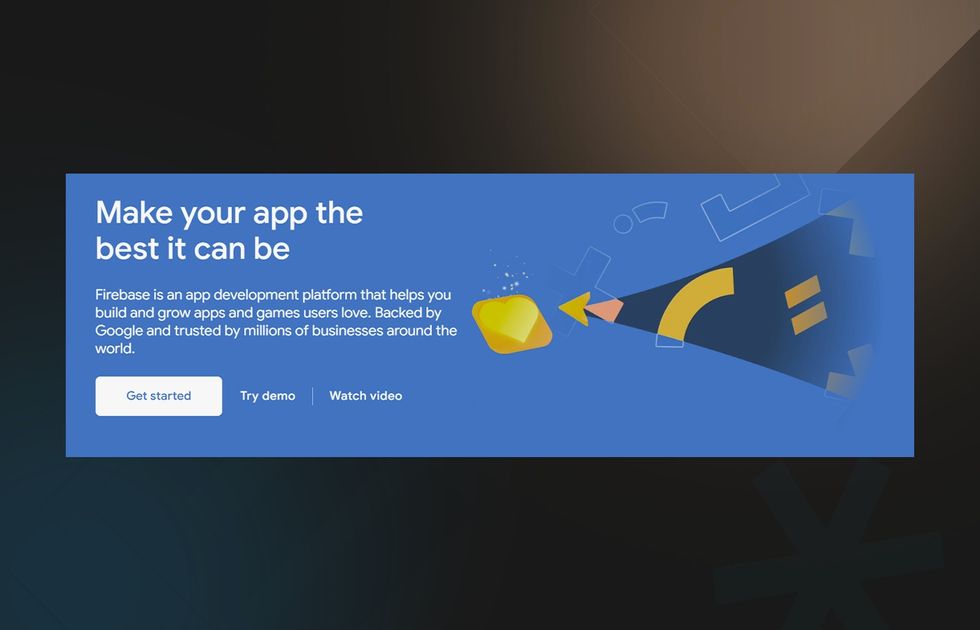
Google’s Firebase is a widely adopted BaaS platform, particularly for mobile app development. It offers a real-time NoSQL database (Firestore), authentication, cloud storage, hosting, and analytics accessible through SDKs for iOS, Android, and web. Firebase may be a suitable choice when you need to move fast, and the platform’s opinionated data structure fits your application model.
However, Firebase’s flat document model and Firestore pricing at high read volume can become constraints as products mature. Tight coupling to Google’s ecosystem also makes migrations costly and complex. Firebase works well as a starting point, with a clear exit plan for when you outgrow it.
AWS Amplify
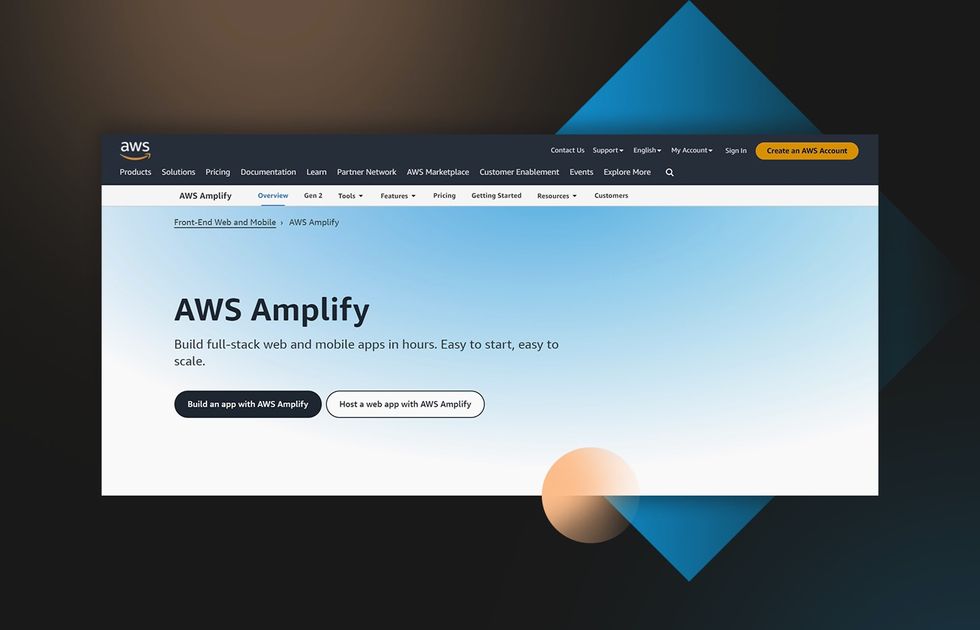
AWS Amplify is Amazon’s BaaS framework built on top of the broader AWS ecosystem. It provides authentication via Cognito, GraphQL and REST APIs through AppSync, managed databases, and storage deployable through a CLI or visual studio. Amplify’s main advantage is its proximity to the rest of AWS. If you already run infrastructure there, it is possible to add Amplify backend capabilities without changing a provider.
Amplify is more complex to set up than Firebase. The configuration relies on CloudFormation and AWS-specific concepts, so teams without prior AWS experience often spend more time on setup than they save on development.
Backendless
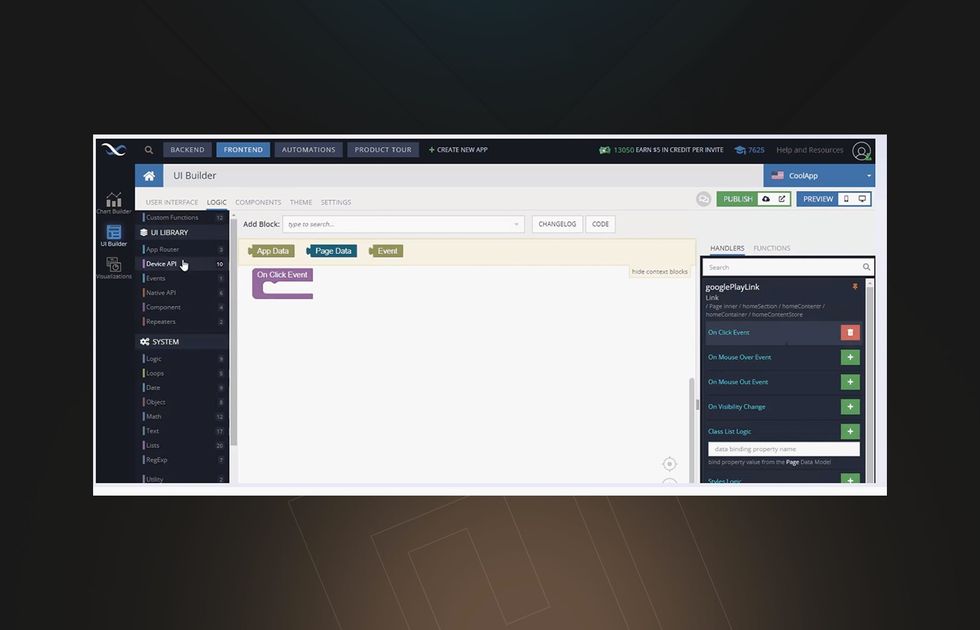
Backendless positions itself as a visual BaaS platform, letting you build backend logic through a UI-driven interface with optional custom code extensions. It supports user management, a real-time database, push notifications, API services, and file storage. Teams choose Backendless when they want low-code backend development without committing to a specific hyper-scaler ecosystem.
The platform offers both cloud and self-hosted deployment options, which helps address data sovereignty concerns common in regulated industries. However, the ecosystem is noticeably limited. There are fewer integrations, a smaller community, and less flexibility than enterprise-grade projects typically need. When requirements grow beyond the platform’s boundaries, companies often search a purpose-built backend from a partner like Acropolium.
What Is FaaS (Function as a Service)
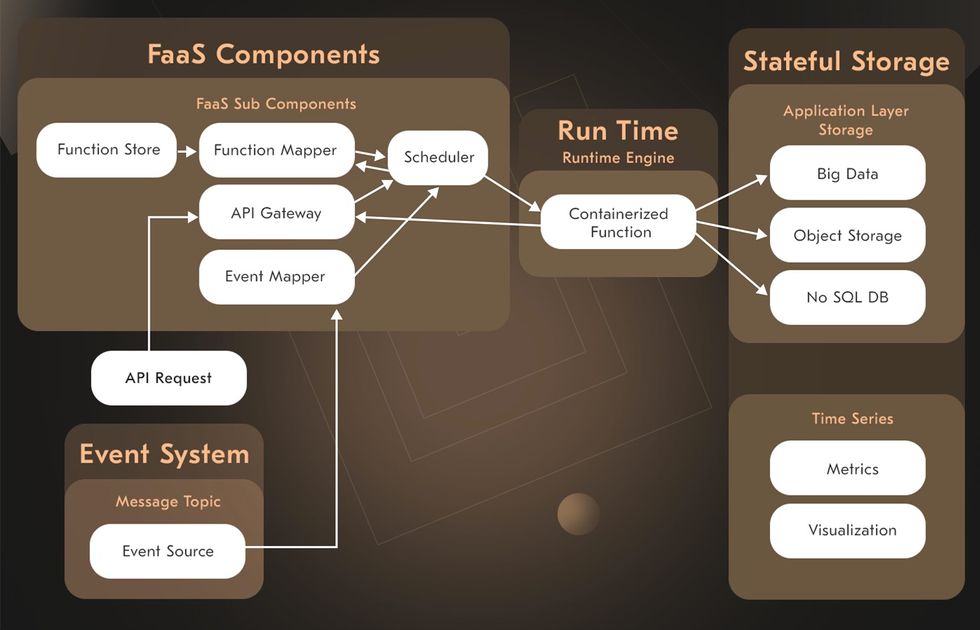
Function as a Service (FaaS) is a serverless computing model where you deploy individual functions that execute in response to specific events. You write discrete units of code, define what triggers them (HTTP requests, file uploads, database changes, scheduled timers, or message queue events), and the cloud provider handles all underlying infrastructure, namely, servers, operating system, OS, scaling, and availability.
FaaS sits within the broader serverless architecture category. Its defining characteristics are:
Stateless functions by design (unlike traditional virtual machines, FaaS functions are ephemeral)
Ephemeral execution with short lifespans
Pay-per-invocation and compute-time billing
Automatic function-level scaling on demand
According to Grand View Research, the FaaS segment held more than 60% of the global serverless computing market share in 2024, which illustrates how widely this model has been adopted.
In practice, FaaS works well for event-driven architectures – processing file uploads, triggering workflows from database changes, handling webhooks, running scheduled jobs and batch processing, or powering API gateways. Each of these serverless functions handles one task, and the system is assembled from many small, independently deployable pieces. It takes more planning to set up correctly, but you end up paying only for what runs, unlike a traditional backend that costs the same whether it is handling ten requests or ten thousand.
Pros of FaaS
Pay-per-execution pricing. You are billed based on invocations and compute time rather than server uptime. Thus, it is possible to reduce costs for irregular or low-volume workloads.
Automatic scaling. Most FaaS platforms scale functions in response to demand without manual intervention.
Granular deployment. When you push code, individual functions can generally be updated independently, which limits the blast radius of a release.
Broad language support. Major FaaS platforms support a range of runtimes, including Node.js, Python, Go, and Java. Support depth and performance can vary depending on the language and provider.
Per-function scaling. Each function scales according to its own invocation pattern, meaning high-traffic components do not force unnecessary resource allocation elsewhere.
Cons of FaaS
Cold start latency. Idle functions take longer to respond on the first call. Such a delay can noticeably impact time-sensitive applications.
Debugging complexity. Tracing a problem across multiple functions and async triggers is more difficult than debugging a single application.
Execution time limits. Every function has a maximum allowed runtime. Specific functions that take longer than that limit must be split into smaller steps or handled by a different service entirely.
Top FaaS Providers
With serverless adoption growing rapidly, choosing the right FaaS provider is very important. Each major platform offers unique strengths in pricing, scalability, and ecosystem support. Here’s a look at the recognizable FaaS providers.
AWS Lambda
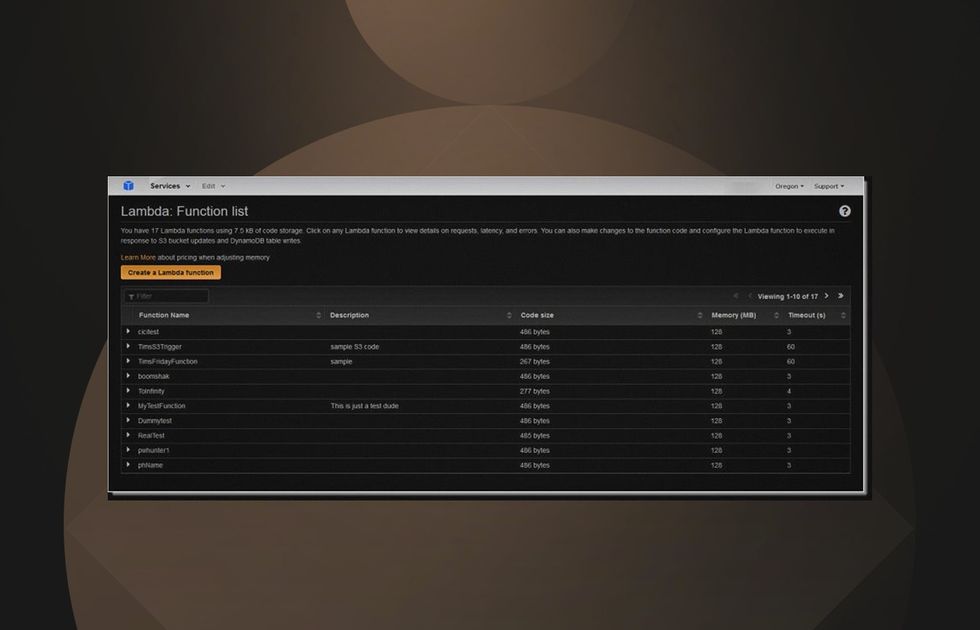
AWS Lambda is a FaaS platform with broad ecosystem integration across the AWS suite. It supports up to 15-minute execution windows, fine-grained concurrency controls, and native triggers from over 200 AWS services including S3, DynamoDB, SQS, SNS, and API Gateway. Lambda is a good choice when your architecture already lives on AWS and you need a mature, well-documented serverless computing layer with extensive tooling.
At scale, Lambda’s pricing model and cold-start behavior require careful architecture planning, particularly for latency-sensitive APIs. Local development with Lambda can be streamlined using tools like AWS SAM or LocalStack. Provisioned Concurrency eliminates cold starts by keeping functions pre-initialized, but at an additional cost.
Azure Functions
Microsoft’s Azure Functions integrates tightly with the Azure ecosystem, including Cosmos DB, Service Bus, Event Grid, Blob Storage, and Azure DevOps pipelines. The Durable Functions extension lets you chain multiple functions together into a single workflow. Azure Functions is the natural choice for Microsoft-centric teams and those already running workloads on Azure.
The Consumption Plan provides true pay-per-execution pricing. Premium and Dedicated plans support pre-warmed instances to eliminate cold starts for latency-sensitive workloads, with more predictable pricing for high-throughput applications.
Cloud Run functions
Formerly known as Google Cloud Functions, Cloud Run Functions is the entry point into cloud-based serverless computing within Google’s infrastructure. It integrates natively with Firebase, Pub/Sub, Cloud Storage, Cloud Firestore, and BigQuery. Therefore, it is a natural complement for teams already using Google’s ecosystem. Cloud Functions 2nd gen, built on Cloud Run, delivers better performance, longer execution timeouts, and more granular traffic splitting for staged rollouts.
For teams using Firebase as a BaaS layer, Cloud Run Functions fills the space where custom backend logic is needed. It connects the two serverless models within the same ecosystem and billing structure.
Why Choose BaaS over FaaS
The choice depends on what your team is building and how much backend complexity you are prepared to own.
Choose BaaS when speed is the primary constraint. If you are building an MVP, a mobile app, or an internal tool, serverless applications built on BaaS let you reach users without a dedicated backend team. You configure rather than build, and most common backend needs like auth, data, storage, and notifications are covered out of the box, pre-wired and ready to use.
BaaS also makes sense when your product requirements align well with what the provider offers. The ready-made suite that BaaS offers with standard user management, real-time data sync, and push notifications doesn’t need custom function logic when a BaaS platform handles all of them reliably with minimal configuration.
FaaS is a better fit when you need full control over business logic, have complex workflows that do not map to standard BaaS capabilities, or are building a [microservices architecture]https://acropolium.com/blog/modern-web-app-architecture/) where each component scales on its own. FaaS also becomes cost-attractive when workloads are highly irregular. A function executing a few hundred times per day costs almost nothing, while a BaaS subscription has a fixed floor regardless of actual usage.
The two are not mutually exclusive. Many production systems combine BaaS for standard infrastructure and FaaS for custom business logic, data transformations, and third-party integrations.
If you are uncertain which model fits your specific requirements, Acropolium’s expert team can evaluate your architecture needs and recommend the right approach.
BaaS Development: Use Cases from Acropolium
- Hango – Location-Based Social Network MVP
A US-based entrepreneur brought us a concept for a proximity-based social platform that would let users discover and connect with people physically nearby, in real time. Social networking integration was central to the platform’s value. Before investing in a full product, the client wanted to test whether the idea would gain traction. That meant getting something working into users’ hands quickly, without the cost of building complete infrastructure from scratch.
The core technical problem was the nature of the application itself. Real-time geolocation, continuous proximity detection, and live profile synchronization causes challenges. A custom backend built to handle all of it would have pushed the project timeline well beyond what an MVP stage could justify.
We used Google Firebase to handle authentication, data synchronization, and cloud storage, and built the mobile application in React Native for simultaneous iOS and Android deployment. Our team consisted of 4 members and we delivered the working product in 3 months.
The client launched in a specific geographic area and gathered real usage data. They used the feedback to decide what to do with the product next. This is exactly what an MVP is for.
- Restaurant Ordering Chatbot
Our client wanted to move order-taking online, but faced a practical problem. The tools available either required significant development investment or came with platform constraints that limited how the ordering experience could be shaped. We built this project internally to explore what a lean, fast-to-deploy alternative could look like.
The goal was to create a chatbot through which customers could browse a menu, build an order, pay, and request delivery. The business case depended entirely on speed and we had to work without a tight timeframe.
Rather than developing a custom backend, we connected Node.js business logic to an existing pod on a low-code backend platform using targeted code snippets. Two engineers from our team handled the full build. The chatbot was operational in three weeks.
Against a fully custom approach, the numbers were clear. Development costs came down by 75%, time to market reduced by 60%, and ongoing support costs lowered by 80%. When the backend layer doesn’t need to be custom, building one anyway is a waste. This project was a practical demonstration of that principle.
Contact Acropolium for BaaS Services
If you are evaluating serverless backend solutions for your business, Acropolium’s experts can help you determine whether a BaaS model fits your requirements, and build it to the exact specifications your product needs.
With 23+ years of experience, over 455 successful projects, and deep expertise in cloud architecture, custom backend development, and enterprise integrations across fintech, construction, retail, marketing, and other niches, Acropolium delivers backends that scale with your business.
Reach out at acropolium.com to start a conversation about your project.







![Backend as a Service [What Is BaaS & Key Benefits]](/img/articles/backend-as-a-service/img01.jpg)