Why should you understand the most popular backend frameworks at all? As a software business owner, you don’t need deep technical expertise - that’s what you have a CTO or IT outsourcing partner for. But a working knowledge of backend frameworks pays off in a very specific way: it’s what lets you sanity-check a proposed tech stack, ask the right questions during hiring, and avoid locking your next project into a framework your team can’t staff, maintain, or afford to scale. Choosing the right backend framework early saves far more time than switching later.
With more than 20 years delivering enterprise-level web and mobile solutions across industries, Acropolium has built reliable, scalable products on most of the frameworks covered here - not just read about them.
This guide draws on that hands-on experience to walk through the backend frameworks worth considering for web and mobile apps, comparing the most widely used options and where each genuinely fits, rather than where it’s simply popular. We’ll also look at Backend-as-a-Service (BaaS) as a separate path worth weighing before you commit to hiring a team around any framework at all.
Key Takeaways
Popular backend frameworks let developers implement product’s features faster, improve security and scalability, and gain access to helpful updates.
The choice of a backend framework depends on the type of platform, the technologies used, and even the requirements of your industry.
For web development, we recommend five backend frameworks that have earned their reputation the hard way - running high-traffic production systems for years, not just topping GitHub star counts: Django, Laravel, Ruby on Rails, Spring, and ASP.NET Core.
Node.js gets its own line for a reason worth spelling out clearly: it’s a JavaScript runtime, not a framework - a common enough mix-up that it’s worth stating outright.
On top of that runtime, two frameworks are the ones to actually know: Express, the lightweight framework most Node.js teams still reach for first, and NestJS, the more structured, TypeScript-first option built for teams that outgrow a minimal setup and want enforced architecture as they scale.
Backend Frameworks: What They Are and Why Use Them
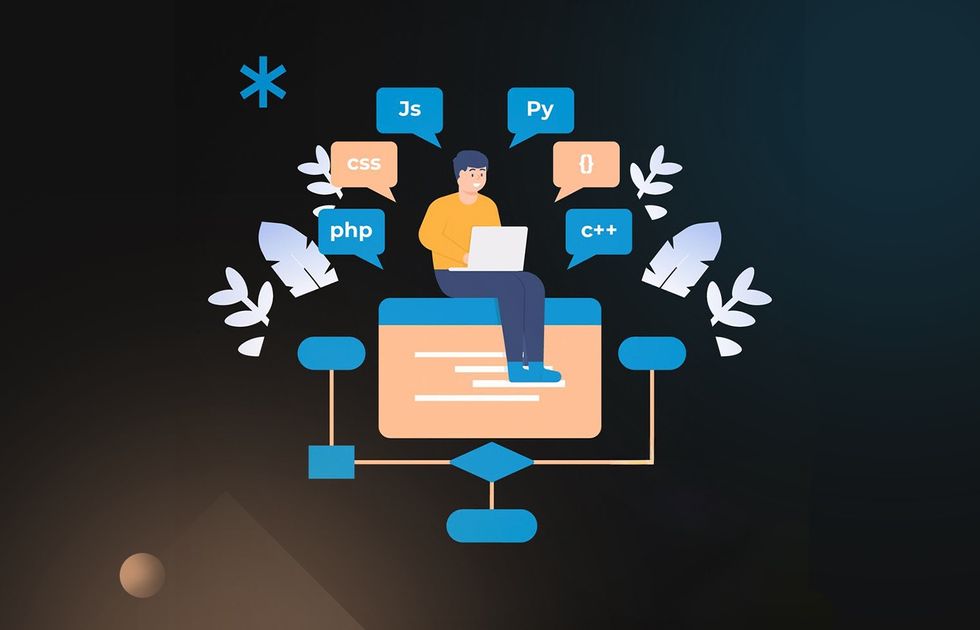
Talking about the frontend and backend (or client-side and server-side) tech stack, we refer to the fact that any app functionality heavily relies on the specifics of the components it was built with. These components, usually libraries and frameworks, interact with each other in a multitude of ways, which is why their combination is called a stack.
Well, selecting the most fitting backend development frameworks for your tech stack can make or break the project. Why so?
A framework is a package of pre-written and tested code in a specific coding language, enabling any developer to build upon this foundation for building web apps and the backend tools behind them. Thanks to this, there’s no need to write popular functions from scratch every time, which immensely speeds up the development.
How to Choose the Best Backend Framework for Your Project
Ask five developers to rank the top backend frameworks and you’ll get five different lists, and none of it changes much for your company. There are many frameworks out there, and popularity alone rarely points to the right backend framework for your specific product.
To be crystal clear, you absolutely can develop an app using any language and any framework. However, certain languages and frameworks are better geared toward delivering specific functions:
Python (with Django or Flask for the broader platform, FastAPI for AI-model-facing APIs specifically) is the best choice for building big data analytics platforms and services that talk to AI models.
Erlang and Elixir are great for building and managing telecom infrastructures, among other things.
Java and .NET are the go-to languages for enterprise software that runs continuously in the background; on the JavaScript side, that same role goes to a JavaScript framework like Express or NestJS running on the Node.js runtime.
Python and PHP are best for small-to-medium app development (well, they get the job done for large-scale projects too, they’re just usually not the first choice).
But when we talk about selecting a language (and a framework) for your next app, the deciding factor should not be its popularity.

First of all, consider the level of technical expertise your team offers. For example, if your team of developers already knows Laravel, a Node.js framework built on similar Rails-style conventions, like NestJS, will feel far more familiar than an unopinionated framework like Express, since the structure and discipline transfer, even though the language doesn’t.
Secondly, you must consider the transparency and ease of reading the code written with that backend framework. If your developers produce clean code, new teammates will have little trouble onboarding the project. Minding transparency also matters for backend framework updates: Laravel now ships a new major version every year without long-term-support releases, so your team could need a real upgrade plan rather than assuming they can stay on one version indefinitely.
Thirdly, you should select a backend framework with the best support. We’re not talking about the community size here. All too often, updates to the underlying language force updates to the backend framework, and your app becomes inoperable till the latest framework version is implemented and the app is updated accordingly. This can be avoided by sticking to the most popular backend frameworks, which are usually the most stable ones.
In practice, these 3 considerations boil down to 3 questions worth asking about any backend framework in this guide:
How deep is the local hiring pool for it?
How steep is its learning curve for a team picking it up fresh? and
What does it mean for your total cost of ownership once the app is live? Not just for the cost of getting the first version out the door.
Core Benefits of Backend Frameworks
Now that you have your pointers, let’s briefly cover the benefits of using a backend framework, whether the product is a web app, a mobile app’s backend, or both.
Time-Saving
Obviously, when developers can create app functionality out of pre-written atomic features, the development process takes much less time, which supports rapid development and, in many cases, rapid prototyping. This also results in fewer bugs, which shortens the app development cycle and improves the quality of the resulting product for faster application development, one of the ways teams reduce software development costs without losing quality.
Scalability
All backend framework features are pre-tested and can be scaled quickly and effortlessly, which matters most for real time apps that need to handle multiple requests without lag. This makes it easier to create an app that addresses demand spikes adequately and scales components up and down as needed, whether that means load balancing traffic across multiple servers or tuning database management and connection pooling as query volume grows.
Robustness
With backend frameworks, you can use out-of-the-box code and build upon it, getting the essential tools a team needs without building them from scratch. This enables your dedicated software developers to deliver robust features with clear and streamlined structures without reinventing the wheel.
Security
Most backend frameworks are open-source, and there’s strong community support behind each of them, so security issues are addressed adequately. Instagram is famously the largest production deployment of Django in the world, Shopify has built and maintained parts of Ruby on Rails itself, and Stack Overflow has run on ASP.NET for most of its history. These aren’t small operations cutting corners on security.
Integrations
Building a standalone application is not as feasible as enriching an existing one with new functions. Backend development frameworks ensure using RESTful API or GraphQL integrations is much simpler. This way, you can actually make your new app an integral part of a thriving software ecosystem and greatly increase user experience.
Login with Facebook or Google accounts, directly upload your Instagram photos or Pinterest pins, use Google Maps to navigate and leave reviews: these are just the tip of the iceberg when it comes to integrations.
By now, you’ve probably decided the core benefits of backend frameworks are too good to pass on, and you’re right. So your next step is selecting the best fits for your future web app from the below list of top backend frameworks.
Best Backend Frameworks for Web Development
These are backend web frameworks worth knowing today for modern web development, from the long-established defaults to the frameworks that have earned their place over the past couple of years. But don’t think the list is exhaustive: depending on your product specifics, you might need something outside it entirely. Let’s look closer at the pros and cons of each backend framework.
Django for Python
Django is one of the most used backend frameworks for Python. It’s an open-source web framework, built around what Django itself calls the Model-Template-View (MTV) pattern, a close cousin of the more familiar Model View Controller (MVC) pattern, used to build modern, database-driven, highly performant, feature-rich websites and apps.
Django uses Python for all operations and ensures great pluggability and code reusability, which allows for reduced coding and shorter development cycles.
Many apps and websites, including the famous ones like The Washington Times, Mozilla, and Disqus, run with Django.
Advantages of using the Django backend framework:
Fast to learn, easy to use. Django’s built-in tools were designed to speed up development cycles, and it does this job well, though this backend framework has enough of its own conventions (the ORM, the admin panel, its app structure) that budgeting real ramp-up time for a team new to Django is worth doing upfront.
Robust features. Django ships with robust security measures and built-in security mechanisms against SQL injections, cross-scripting, request forgery, and other security features most teams would otherwise build by hand. It also takes care of user authentication by default, which allows users to store their passwords securely.
In-depth security. Django comes with built-in protection from SQL injections, cross-scripting, request forgery, and other types of security challenges. It also takes care of user authentication by default, which allows users to store their passwords securely.
High scalability. Django is the epitome of Python’s concentration on scalability, enabling the websites that run on it to meet their high demand spikes with ease.
Versatility. Just like Python itself, Django is suitable to develop a wide range of applications, from eLearning platforms and content management systems to social media, enterprise apps and Big Data management tools.
Cons of Django
As for the Django disadvantages, there are just a few:
Django ORM. Object-Relational Mapping (ORM), or an object relational mapper provides a set of solutions to various development challenges and… limits you to using the said software solutions. If you want or have to do anything in an unconventional way, ORM becomes a crutch instead of a trampoline.
Monolithic by default. Django’s project structure bundles the admin panel, settings, and app logic together, which is exactly what makes it fast to start with, but also means peeling out a single piece into its own microservice later takes real rework, more than in a backend framework that was modular from the start.
In-depth system knowledge is required. Django is an end-to-end development backend framework, meaning you need to plan every little feature in advance to avoid costly reworks mid-development. Thus, while it is easy to develop apps using Django, you will need additional time to plan everything beforehand.
However, these are more limitations than disadvantages. Overall, Django is a great choice for the rapid and predictable development of various types of apps and websites.
Laravel for PHP
Laravel is an open-source backend MVC framework for building, deploying, and running PHP web applications, drawing on several components from the Symfony framework. It uses Composer, PHP’s standard package manager, alongside its own modular package system to simplify dependency management. Add the ability to easily interact with any relational databases and app deployment tools, and you’ll definitely see why Laravel is the leading PHP framework for teams that value elegant syntax as much as raw capability.
9GAG and Pfizer have both used Laravel for parts of their infrastructure, and Laracasts, the framework’s own flagship education platform, is naturally built on Laravel itself. Laravel is also a common pick for SaaS platforms, and custom web development agencies that need to move quickly without sacrificing structure.
Pros of Laravel
The benefits of using Laravel are:
Easy authentication. With built-in access management tools, implementing user authentication is simple.
API-based mail sending. With Laravel, you get API integrations with all the major mailing services, PHP mail drivers, as well as notifications for multi-channel message delivery. This significantly simplifies the implementation of notifications and mailing.
Simple data caching. Laravel ships with a unified caching API that works the same way whether you’re using Redis, Memcached, the database, or a simple file-based cache, so switching between them later is a config change, not a rewrite.
Convenient log handling. Laravel supports multiple log handlers and enables exception/error handling by default.
Extensive testing. Laravel supports both PHPUnit and Pest out of the box, with a preconfigured phpunit.xml file ready to go either way.
Cons of Laravel
But there are some downsides to Laravel, too:
Steep learning curve. Laravel is simple to learn but hard to master. Lots of functions are overly complicated and work in one way only, and it’s hard to figure them out on your own. So while there are many Laravel developers, few of them are actually able to use Laravel to its full potential.
No long-term-support releases. Laravel ships a new major version every year, and recent versions no longer get designated LTS status the way some past releases did, so a team needs a real upgrade plan rather than assuming they can stay on one version indefinitely.
Despite this, Laravel is definitely the best choice for building PHP apps thanks to being a robust, powerful, and feature-rich backend MVC framework, well suited even to complex projects.
Notable mention: There’s also the Zend framework, once popular for legacy projects. Zend was officially rebranded and continues today as the Laminas Project (transferred to the Linux Foundation in 2020), rather than being “replaced” by Laravel. A number of legacy projects still run on it, or have migrated to Laminas.
Ruby on Rails
Ruby on Rails backend MVC framework for building server-side Ruby-based web applications, with conventions for database access, page rendering, and services built in from the start. Most notable RoR features are the Active Record pattern, the Don’t Repeat Yourself (DRY) approach, and the Convention over Configuration (CoC) development paradigm, and together, they’re what makes Rails fast to build with and known for its elegant syntax.
GitHub, GitLab, Airbnb and Zendesk all run on Ruby on Rails today, and Basecamp, the product Rails was originally extracted from, still does too.
Pros of Ruby on Rails
The benefits of using Ruby on Rails are:
Development speed. As RoR comes with a wide variety of built-in plugins and modules, developers can use a lot of them when creating apps for rapid development. This significantly reduces the time needed to write boilerplate code.
Consistency. Thanks to following the standards mentioned above, RoR enables programmers to standardize most development aspects, like file storage. This helps keep projects transparent and consistent while reducing the development complexity.
Cost-efficiency. Ruby on Rails is an open-source backend framework, so it’s completely free to use. The vast majority of Gems (Ruby’s packages, distributed through RubyGems.org) are free and open-source too, backed by strong community support, so extending Rails with ready-made functionality rarely adds to your licensing budget.
Cons of Ruby on Rails
But the downsides of Ruby on Rails development include:
Runtime performance. Various response speed and database request benchmarks show Ruby on Rails trailing backend frameworks like Django or Go-based alternatives, but this rarely matters in practice. Twitter itself ran on Rails in its early years and only moved to Scala once it was operating at a scale few products ever reach; for the vast majority of products, RoR will do just fine.
Rigid dependencies. Since many RoR functions are standardized, dependencies between them are also strictly defined. RoR can be configured in one way and one way only in order to run. This immensely speeds up the development of standard software features but might limit your flexibility when implementing unique functions.
High cost of mistakes. Once again, adjusting some software architectural decisions mid-project is pretty costly with RoR, as due to its standardized structure, the dependencies between various components are strong. For example, heavy usage of Active Record will result in great dependency on database models that can be detrimental to application performance at scale in the future.
All in all, Ruby on Rails is an excellent choice for the quick development of various mainstream apps that have standard features.
Spring Boot for Java
Spring Boot is built on top of the Spring Framework, the open-source Java framework that acts as an inversion-of-control container for Java applications compatible with Jakarta EE (the successor to what was previously called Java EE). What Spring Boot adds on top is auto-configuration and embedded server support for Tomcat, Jetty, and Undertow, so a working application starts with far less manual setup than plain Spring requires, and it’s built for scalable Java applications from the ground up.
It also provides easy management of dependencies and profile-specific properties, supports deployment on modern cloud platforms, and it isn’t limited to Java either: Kotlin and Scala, both JVM-compatible languages, run on it just as well, which matters if your team already leans that way.
Netflix is the most visible example of Spring Boot at scale: Spring Cloud Netflix, an official Spring project, was built specifically to bring Netflix’s own open-source tools, like Eureka for service discovery and Hystrix for fault tolerance, directly into Spring Boot applications. Alibaba has contributed a similar official integration, Spring Cloud Alibaba, and Oracle sells a dedicated product, Oracle Backend for Spring Boot and Microservices, built around running Spring Boot workloads on its cloud.
Pros of Spring Boot
The benefits of using Spring Boot include:
Lazy initialization. Instead of creating every bean the moment the app starts, Spring Boot can defer bean creation until each one is actually needed, which cuts startup time meaningfully on larger web applications.
Minimal configuration. Spring Boot’s auto-configuration handles most of the standard setup for you, based on the dependencies already on your classpath, which cuts down significantly on the boilerplate Java is otherwise known for.
Health-check signals built in. Spring Boot Actuator exposes liveness and readiness indicators out of the box, the same signals Kubernetes and similar platforms use to decide whether to restart an unresponsive instance, without your team building that monitoring layer from scratch.
Cons of Spring Boot
You should also consider the disadvantages of Spring Boot usage:
Complexity. The scourge of all Java development, excessive configuration complexity is a challenge Spring developers must overcome. This can slow down the development process.
Parallel mechanisms. Spring Boot offers a wide variety of choices for reaching various goals, and selecting the best one from the start is not always obvious. This might result in the need for code refactoring.
Generally speaking, Spring Boot will be a great tool in the hands of experienced Java developers building enterprise software, but can be quite punishing if used without prior in-depth consideration.
ASP.NET for Windows and .NET
ASP.NET Core is Microsoft’s open-source, cross-platform backend framework for building web applications, web services, and APIs, developed under the governance of the .NET Foundation. It is the de-facto golden standard for development of .NET applications and works with a plethora of tools across the .NET ecosystem. It uses C# code to deliver a consistent and positive user experience on Windows, Linux, and macOS.
Beyond Stack Overflow, mentioned above, GoDaddy lists ASP.NET among the technologies powering parts of its platform, and Microsoft naturally uses ASP.NET across many of its own web properties.
Pros of ASP.NET
Here are the advantages of ASP.NET development:
Less coding. ASP.NET Core’s built-in dependency injection, middleware pipeline, configuration system and built-in security mechanisms for authentication and authorization handle a lot of the setup work a team would otherwise write by hand, which speeds up app development.
Cross-platform. This backend framework offers full cross-platform support, using the same C# codebase to deliver a smooth and predictable user experience across Windows, Linux and macOS.
Easier long-term maintenance. Because the framework enforces a consistent project structure, experienced .NET developers can extend or refactor an ASP.NET Core app without untangling a custom setup someone else improvised.
Cons of ASP.NET
But don’t forget about the shortcomings of ASP.NET:
Microsoft sets the roadmap. Since Microsoft leads ASP.NET Core’s development, this backend framework’s direction follows Microsoft’s priorities, and teams built entirely around it often end up adopting other Microsoft tooling (Visual Studio, Azure, SQL Server) by default, even though none of that is technically required.
Licensing costs live in the tooling, not the framework. ASP.NET Core itself is free and open-source under the MIT license, but a team that grows into Visual Studio’s paid tiers (Professional or Enterprise, beyond the free Community edition) or premium Azure services will see those costs add up.
ASP.NET Core is the go-to backend framework for developing Windows and .NET-based web and mobile applications, delivering high performance without sacrificing a smooth, frictionless cross-platform experience for users.
This covers the backend frameworks most businesses have relied on for well over a decade. But the backend landscape doesn’t stop there: Node.js alone gets two entries worth knowing, Express, the long-standing default, and NestJS, the more structured option that’s become an enterprise favorite over the past few years. FastAPI and Go’s Gin and Fiber round out the list, two backend frameworks that have earned their place here over that same stretch of time.
Express.js for Node.js
Express.js is the original, minimalist web framework for Node.js, built for building web servers, applications, and REST APIs, and still the most widely used one. It gives a team a thin routing and middleware layer without imposing any particular project structure on top of it, which is exactly its appeal for small teams and simple services.
PayPal and Uber both built their consumer-facing applications on Express, and both leaned into exactly what makes the framework valuable: its lack of built-in opinions left room to build their own. PayPal created Kraken.js, an open-source layer that adds shared configuration, security features, and project structure on top of Express; Uber did something similar internally with Bedrock, bundling in default middleware for security and internationalization.
Pros of Express.js
Easy learning curve. Since JavaScript is one of the most popular programming languages, most developers already know it, which makes picking up Express for server-side work quick.
Full transparency. There’s no framework abstraction between the developer and Node’s request-handling model, which keeps debugging straightforward.
Massive ecosystem. As the most widely used Node.js framework for over a decade, Express has a middleware ecosystem, plenty of third-party libraries, and community support for nearly everything.
Cons of Express.js
No enforced structure. Architectural consistency depends entirely on team discipline, and larger codebases tend to accumulate inconsistent patterns without one.
Not built for CPU-heavy work. Like Node.js generally, Express’s single-threaded event loop can stall under CPU-intensive tasks, which are better handled by a separate service.
The same team behind Express also built Koa, offering the same minimal philosophy with modern asynchronous programming support built in from the start, at the cost of a smaller plugin ecosystem than Express has built up over the years.
NestJS for Node.js
NestJS brings structure to Node.js development. Built with TypeScript from the ground up and borrowing its modular architecture and patterns (modules, controllers, dependency injection) from Angular, it gives teams an opinionated way to organize a backend instead of leaving every decision up to individual developers, which is typically the case with more lightweight frameworks like Express. The payoff shows up in developer productivity as a codebase and team grow: less time spent debating structure, more time spent shipping, especially on complex projects.
Adidas, GitLab, and Roche are among the companies officially listed by the NestJS project itself as running production systems on this backend framework. All three are large organizations with many teams touching the same codebase, exactly where NestJS’s enforced structure earns back the time it costs to learn.
Pros of NestJS
Enforced structure. Modules, controllers, and services keep large codebases organized as more software developers and features get added.
TypeScript by default. Type safety is part of this backend framework’s core, not bolted on later, which removes a whole category of runtime bugs.
Built for growth. Native support for microservices, message queues, and GraphQL means the NestJS framework doesn’t need to be replaced as a product scales.
Flexible underlying engine. NestJS runs on Express by default but can swap in Fastify, letting teams trade a bit of setup complexity for better raw performance when needed.
Cons of NestJS
Steeper learning curve. Decorators and dependency injection take real time to learn for developers used to simpler backend frameworks.
More boilerplate for small projects. The structure that helps a thirty-person team can slow down a three-person MVP.
Smaller hiring pool than Express. Fewer developers have hands-on NestJS experience compared to plain Node.js or Express, though the gap is closing fast.
FastAPI for Python
FastAPI is a modern Python framework built specifically for creating APIs quickly, with automatic documentation generation and built-in data validation through Python’s type hints, and it’s frequently called one of the fastest backend framework options for API-heavy work. Built on ASGI (Asynchronous Server Gateway Interface) rather than the older, synchronous WSGI standard most Python backend frameworks still rely on, FastAPI’s asynchronous programming model focuses narrowly on API development, which is why it has become a popular choice for teams building services that talk to AI models, mobile apps, or other backend systems rather than serving traditional web pages.
Microsoft, Uber and Netflix have all publicly credited FastAPI for their own machine learning and API work, which quotes the FastAPI project features directly on its own package page. Netflix even open-sourced Dispatch, its crisis management framework, built on top of it. Cisco has gone further still, calling FastAPI a key part of its API-first development strategy for automations like its Virtual TAC Engineer.
Pros of FastAPI
Speed. FastAPI is built on asynchronous foundations, giving it high performance close to Node.js and Go, a rare combination for a Python framework.
Automatic documentation. Every endpoint gets interactive API documentation for free, which saves real time when integrating with other teams or third-party developers.
Built-in data validation. Type hints double as validation rules, catching many bugs before they ever reach production.
Strong fit for AI and data products. Being Python-based, FastAPI plugs directly into the same ecosystem used for machine learning and data science, which matters if your product includes AI features.
Cons of FastAPI
Narrower scope. FastAPI doesn’t include the batteries-included tooling of Django (admin panels, an object relational mapper, authentication out of the box), so teams often need to assemble more of the stack themselves.
Younger ecosystem. It’s newer than Django or Flask, so some specialized libraries and long-tenured community support are still catching up.
Best suited to API-first products. If you need a traditional server-rendered website, Django or Laravel remain a more natural fit.
Go with Gin and Fiber
Go (Golang) is a compiled, statically typed language built by Google for exactly the kind of workload many modern backends face: handling multiple requests concurrently with minimal memory overhead, thanks to a lightweight concurrency model built around goroutines instead of heavier OS-level threads. Gin and Fiber are the two most widely used, lightweight frameworks in the Go ecosystem, both designed to stay close to Go’s native high performance while adding routing, middleware, and validation on top.
Gin’s own project page lists its production users, and the pattern is telling: it’s mostly infrastructure and developer tooling rather than consumer-facing sites, including Gorush (a push notification server), PhotoPrism (a self-hosted AI photo app) and CI/CD platforms from OVHcloud and Harness. That fits Go’s overall reputation: teams reach for it when they’re building the plumbing other services depend on, not the page a customer sees.
Pros of Go (Gin/Fiber)
Raw performance. Go compiles to a single binary and handles concurrency natively, which typically translates into lower latency and lower server costs at scale.
Minimal footprint. Both these backend frameworks start in milliseconds and use very little memory, which matters for containerized, real time apps and high-traffic microservices.
Simplicity by design. Go intentionally keeps its feature set small, which tends to produce more predictable, easier-to-audit code across a team.
Strong fit for high-load systems. Real-time APIs, high-throughput microservices, and infrastructure-adjacent tools are where Go consistently outperforms more general-purpose backend frameworks.
Cons of Go (Gin/Fiber)
Smaller hiring pool. Go developers are less common than PHP, JavaScript, or Python developers, which can affect team-building timelines.
Less batteries-included. Compared to Django or Laravel, teams need to assemble more of the surrounding stack (an object relational mapper, authentication, admin tooling), often relying on third-party libraries to fill the gaps.
Steeper shift for teams coming from dynamic languages. Go’s strict typing and different concurrency model take real adjustment for developers used to PHP, Python, or JavaScript.
FastAPI, NestJS, and Go cover the gaps the classics above leave open: Python teams shipping AI or data-heavy APIs, TypeScript teams that need more structure than Express provides, and workloads where raw throughput matters more than developer familiarity. None of them replace Django, Laravel, or Spring Boot for a standard business application; they matter once your project’s specific constraints push past what the classics handle well.
Choosing the right one from a list this size can already feel like a lot, and once you’ve settled on a backend framework, you still need to find experienced developers who know it well, which is also a real challenge. This is where BaaS, or Backend-as-a-Service, comes into play as an alternative worth considering before you commit to hiring at all.
BaaS as an Alternative
The global Backend-as-a-Service (BaaS) market is expected to reach $24.8 billion by 2032, growing at a CAGR of 25.0% from 2025 to 2032.
BaaS (Backend-as-a-Service) is an approach to delegating standard backend components, like authentication, database access, and file storage, to a hosted platform that your app talks to directly through an SDK, largely without your team writing or operating server code at all.
This way, you save time and money, since no design, development, testing, release, or maintenance of the backend engine falls on your team. Along with the broader “low-code” approach, BaaS lets companies avoid over-building infrastructure for a product that doesn’t need it yet.
You can concentrate on growing your business and building the parts of your product that actually differentiate it, while a certified BaaS vendor handles the standard backend plumbing under the hood. Among the most common BaaS platforms today are Google Firebase, Supabase and AWS Amplify. Picking one is only half the decision, though: you’ll still want an experienced partner to implement, secure, and maintain it correctly.
The real question is, how to choose such an outsourcing backend development partner? If BaaS turns out to be the right direction for your product, Acropolium’s BaaS development services are exactly the kind of place to start that conversation.
Acropolium Expertise in Custom Backend Development in Action
At Acropolium, we have more than 20 years of expertise in custom software delivery of all kinds: mobile, desktop, and web frontend and backend development.
Our services include end-to-end software engineering, offering dedicated teams for your projects, and providing software development consulting to help you strike the ideal balance between performance and usability.
We have developed a range of custom software solutions, from small apps to enterprise apps, gaining experience with the most popular backend frameworks for web and mobile apps and desktop apps.
At Acropolium, we know all the ins and outs of most popular backend frameworks and can help you select the best one for your project, depending on the industry and complexity of the future product.
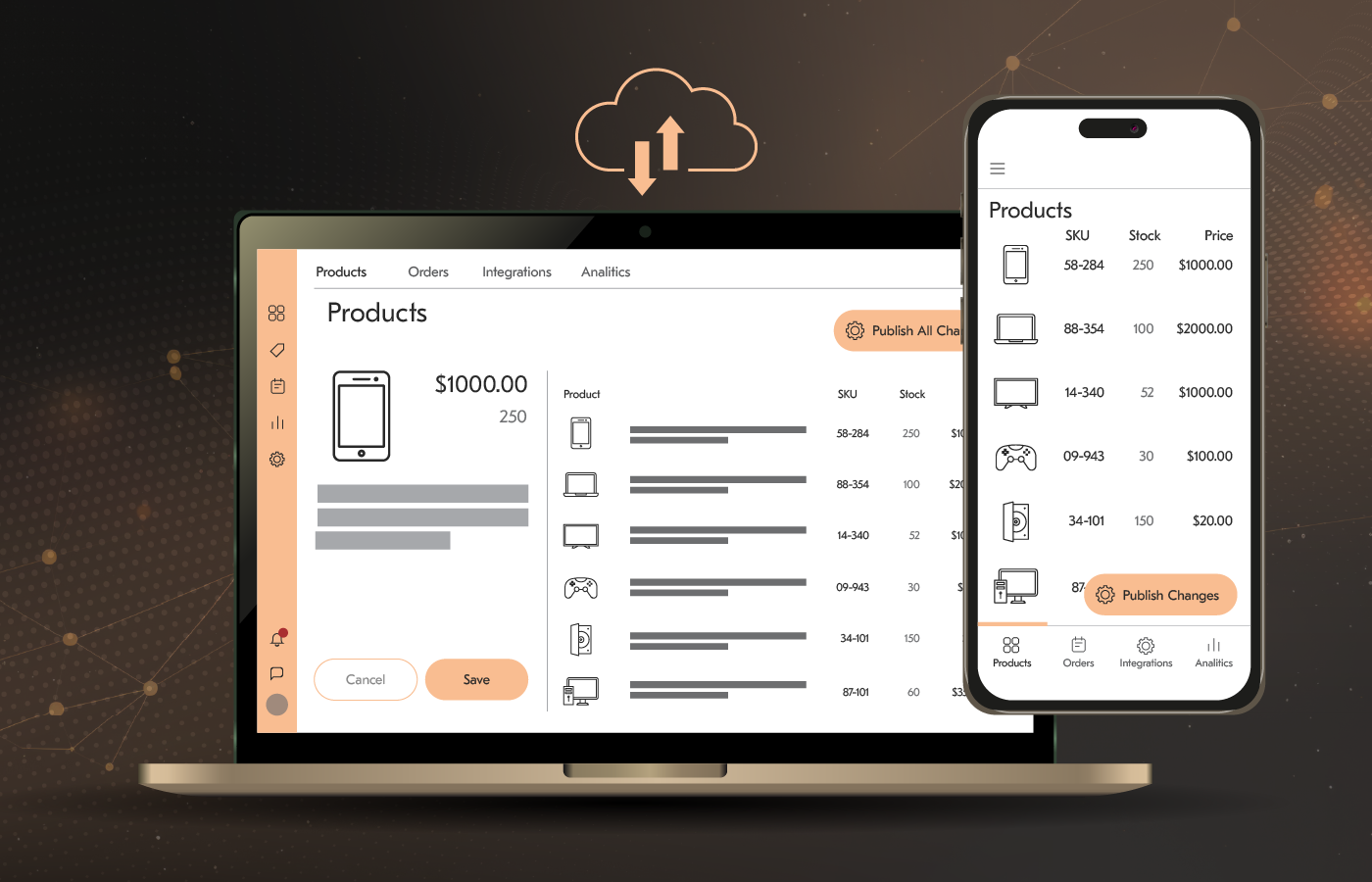
Multi-Platform Listing Management for Amazon & eBay
An Israel-based eCommerce technology provider ran a multi-tenant platform that let merchants manage product listings across Amazon and eBay, but its legacy PHP backend couldn’t keep pace as merchant numbers grew, and business logic scattered across AWS Lambda functions made the system difficult to maintain.
We rewrote the backend from PHP to Node.js, moved the infrastructure to a microservices architecture on AWS ECS, and rebuilt the Amazon and eBay API integrations to support real-time, bi-directional inventory sync for what is, at its core, one of many real time apps in our portfolio.
The rebuilt platform now holds up under growing merchant workloads, with none of the performance degradation and integration failures that plagued the old system.
Digital Signage Software Modernization
A digital signage solutions provider operating in more than 30 countries came to Acropolium when its cloud platform couldn’t handle its growing user base, and its on-premise version was just as unstable, both held back by a monolith architecture full of legacy code.
We refactored and upgraded the .NET stack, broke the monolith into microservices built on cloud native services, using a new Azure infrastructure built with Terraform and Kubernetes, and added single sign-on to unify the client’s internal tools across its on-premise and cloud products.
The rebuilt digital signage platform raised uptime by 20 percentage points to 99%, cut new-customer onboarding time to under five minutes, and lifted NPS by 30%.

Automotive E-Commerce Platform Development for a Large Enterprise
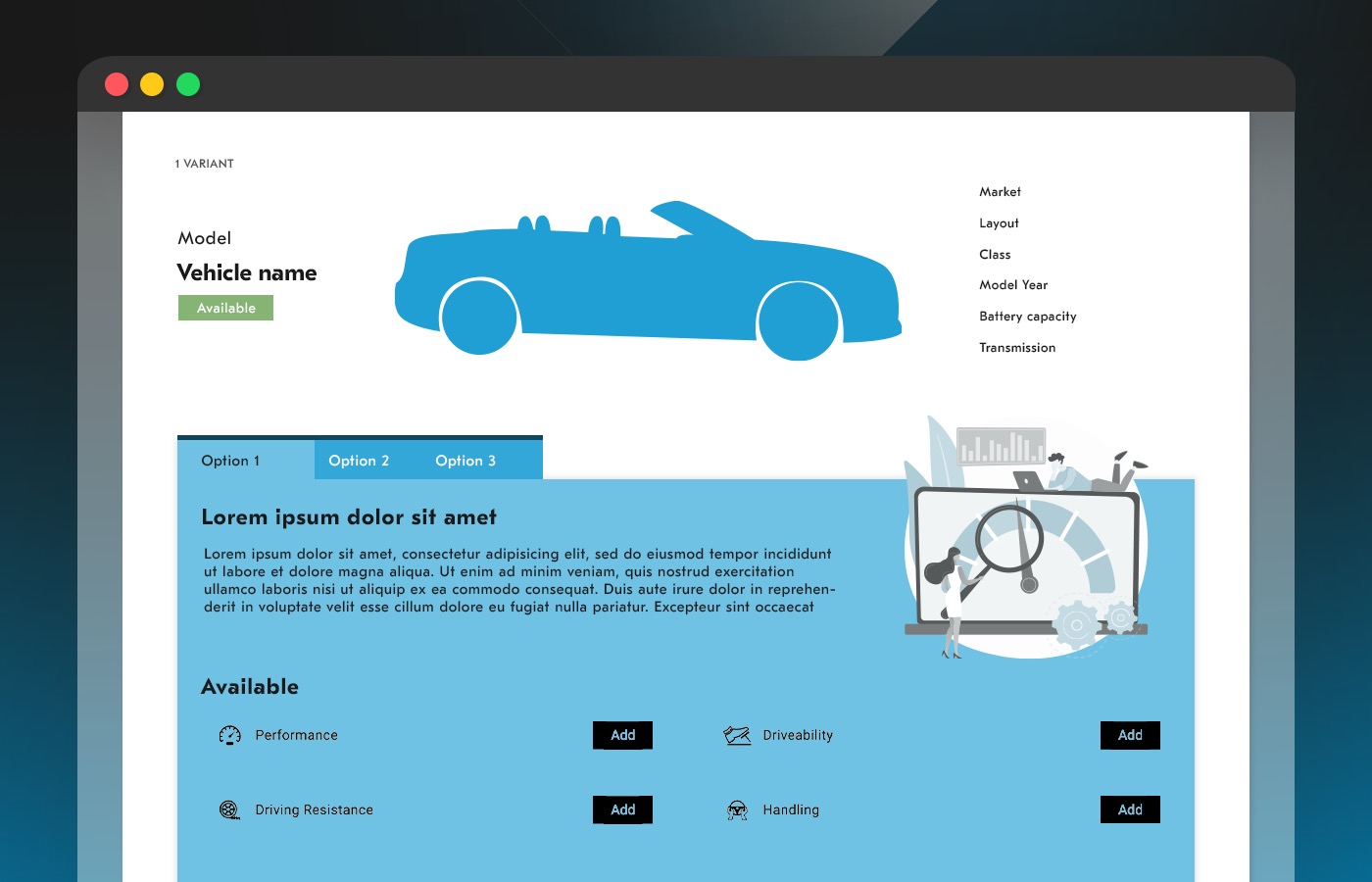
A European mobility enterprise with over 10,000 employees needed a vehicle performance analysis platform where customers could compare vehicle features and data, get deep industry insights, helping them to elevate their automotive business and stay competitive. Besides, this platform should have been integrated cleanly into the client’s existing Salesforce Experience Cloud CRM setup.
Acropolium built the backend on .NET 6, paired with SignalR for real-time client-server communication and PostgreSQL for flexible full-text search, and used Terraform to automate the Azure infrastructure. The automotive e-commerce platform also integrated with the client’s SharePoint environment for file sync and customer data management.
The result: a 65% jump in loyal users, an 85% cut in CRM-related friction in the customer journey, and a 25% increase in daily transactions.
Conclusion
The most popular backend frameworks simplify software creation, since they don’t require building every piece of functionality from scratch.
Django, Laravel, Ruby on Rails, Spring Boot, and ASP.NET Core remain the safest, most proven choices for most web and mobile-backend projects.
Express, NestJS, FastAPI, and Go’s Gin and Fiber round out the list:
Express for lightweight Node.js APIs
NestJS for structured, TypeScript-first backends
FastAPI for AI-heavy or data-facing APIs, and
Gin or Fiber when raw throughput matters most.
Want to move even faster without building and maintaining a backend? A Backend-as-a-Service platform like Firebase is worth considering. It can speed up your time to market and free your team to focus on the business logic that actually differentiates your product, with the tradeoffs covered above.
So if you have any more questions about the most used backend frameworks, need consulting on this topic, or want to discuss the details of your project, get in touch with us. Acropolium covers all common needs for fast and cost-effective custom software development.