Why Mid-Size Companies Are Leaving Salesforce, and What They Need Instead
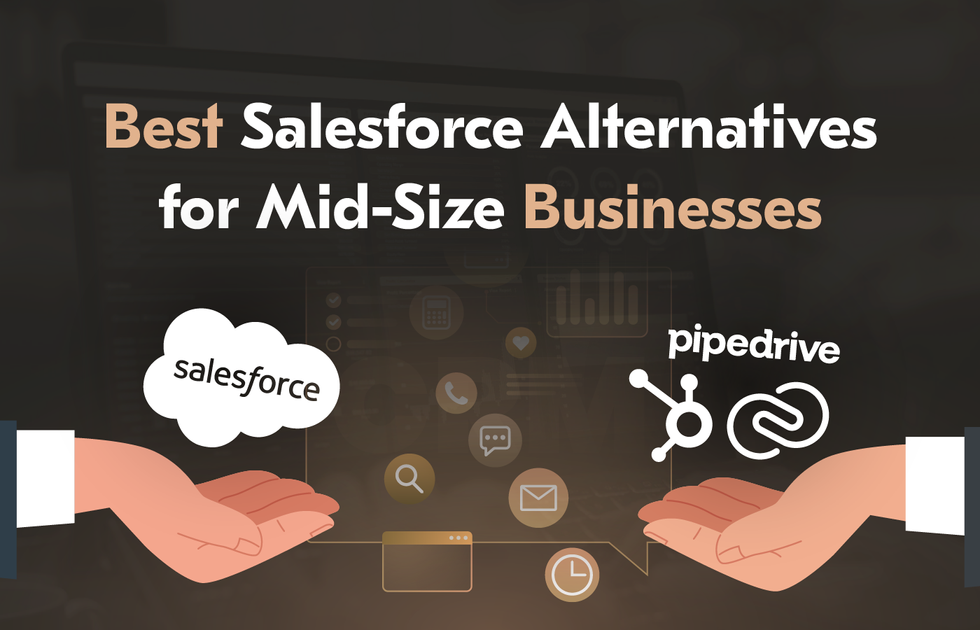
Salesforce is undoubtedly the most powerful customer relationship management platform in the world. It holds 20% of the global CRM market and has defended this position for 13 consecutive years. More than 150,000 companies worldwide run on it. And yet, if you have a company with 50 to 500 employees, there is a chance you are reading this article because you need a solid Salesforce alternative for your team. 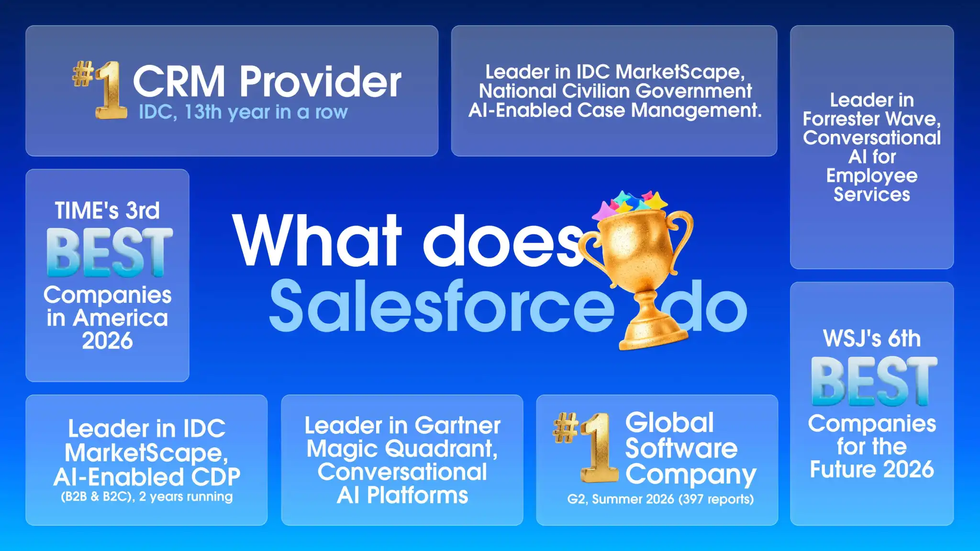
Mid-market companies that buy Salesforce typically budget for licenses. They don’t budget for a dedicated Salesforce admin, without which the platform will degrade and cause workflow issues within approximately 6 months. They neither budget for the $50,000–$150,000 implementation nor account for AppExchange subscriptions, storage overages, or the Premier Support plan that costs 30% of net license fees. By year three, a 75-user mid-market deployment can run past $300,000 annually.
Having studied multiple Salesforce reviews, it is easy to spot that most users complain about the same things regardless of industry. They dislike rising costs, relentless complexity, poor adoption, specialist dependency, and customization bills that nearly match the license itself.
It’s no surprise searches for top Salesforce alternatives have grown sharply. People aren’t just frustrated, but determined to find a more budget-friendly replacement without sacrificing operational capabilities. For most companies, switching CRM software is just one piece of a much larger digital transformation process.
This guide covers reliable solutions worth switching to. You’ll learn about the best Salesforce alternatives for mid-size businesses in 2026, the open-source options that give you full data ownership, and the cases when bespoke tools are the smarter long-term move.
The Real Cost of Salesforce for Mid-Market Companies
Salesforce Sales Cloud pricing starts at $25/user/month for the Starter Suite and scales up, with most mid-market companies landing on the Pro Suite for $100/user/month or the Enterprise tier at $175/user/month. For a 30-person sales team, that’s $63,000 per year in base licensing alone, before you’ve built a single workflow or connected a single integration. 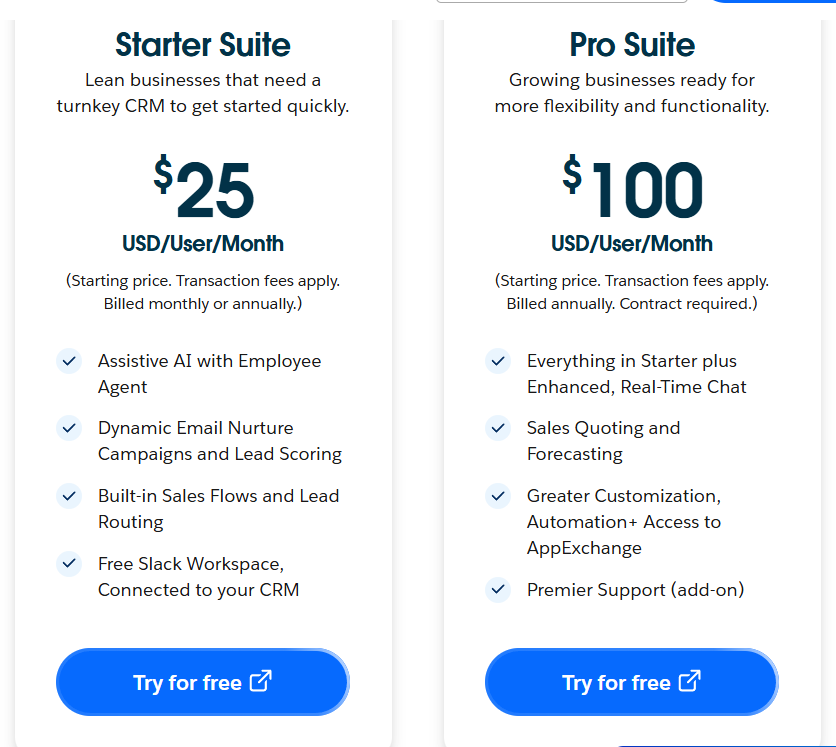
But licensing is just the beginning. There are other expenses to keep in mind:
Implementation. Most mid-market implementations land between $50,000 and $150,000. The final number depends on your edition, user count, customization needs, integrations, and data complexity.
Dedicated admin. A dedicated Salesforce admin in the US costs $70,000–$120,000/year in salary. Outsourcing to a managed services partner is typically cheaper, but still substantial.
Premier Support. Optional but practically necessary – priced at 30% of net license fees. On a $60,000 license bill, that’s $18,000 more per year.
AppExchange add-ons. The 7,000+ app ecosystem is powerful. Many of the apps you’ll want are paid, adding thousands more annually.
Sandbox environments. 5–30% of base license costs – a commonly missed line item.
Storage overages. $125/month per 500MB. It grows with your data.
Annual price increases. Salesforce has been increasing standard renewal uplift to 9%. On a $100,000 contract, that’s $9,000 extra every year.
A realistic Year 1 total cost of ownership for a 75-user mid-market deployment comes to roughly $327,000. In most cases, total ownership costs (including setup, licensing, and maintenance) run 2x–3x higher than the base subscription fee, especially in complex environments.
The Salesforce stack total cost becomes very clear when you benchmark it against the competition. Most platforms can deliver 80% of what mid-market companies need at 30–60% of the cost, without requiring a team of specialists to keep them running. That’s the main reason why mid-size companies are looking for the top affordable Salesforce competitors in 2026.
What to Look for in a Salesforce Alternative (Mid-Market Criteria)
When selecting a program for your business needs, it is important to approach the search well-prepared. The range of options is huge, but not every Salesforce CRM alternative is a good fit for the mid-market. Some are aimed at smaller businesses, while others are repackaged enterprise tools with the same complexity problem. When evaluating CRM alternatives to Salesforce for a company of 50–500 people, make sure to learn about important details listed below.
Total cost. Look beyond the per-seat sticker price. Clarify whether automation features are paid or whether there are any contact limits. Make sure you know what is included in the price.
Implementation speed. Mid-market companies can’t afford a six-month rollout. The best Salesforce alternatives let your team master all the tools and get productive in weeks.
User adoption. A CRM nobody uses is worse than no CRM. Prioritize platforms with a user-friendly interface and minimal training overhead.
Core CRM depth. Sales pipeline management, activity logging, contact management, and solid reporting are a must. Everything else is a bonus.
Automation without a developer. Good alternatives to Salesforce for simple automation let revenue ops configure workflows and automate sales processes without filing a ticket.
Helpful AI features. Top-notch platforms embed AI in CRM at tiers mid-market teams can afford. They don’t offer AI features as enterprise add-ons.
Integration flexibility. Check integration capabilities with your ERP, email platform, marketing automation features, and billing system before you sign.
Scalability without cost cliffs. Analyze the pricing trajectory before committing. The platform that works properly at 20 users shouldn’t triple in price at 50.
Data portability. You need to be able to export your customer data in standard formats. Ask every vendor about this.
Best Salesforce Alternatives for Mid-Size Businesses Compared
Picking a customizable CRM solution can be overwhelming because every vendor promises they’re simpler, smarter, and cheaper than Salesforce. Some of them are right for the right company. Others just claim something that is far from the truth. Below, you will learn about 10 of the strongest Salesforce alternatives for mid-size businesses, with their pros and cons, key features, and pricing models covered.
HubSpot CRM
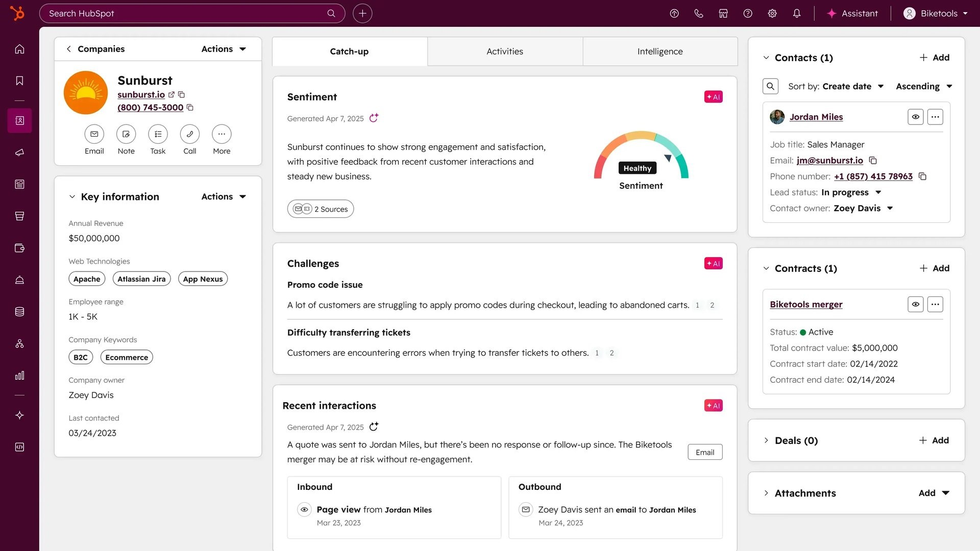
Starting price: Free; Starter from $20/seat/month; Professional from ~$450/month (platform fee + seats); Enterprise on request
Best for: Inbound-driven mid-market companies that want sales, marketing, and service on a single platform
G2 rating: 4.4/5 (15,000+ reviews)
HubSpot is the most natural alternative to Salesforce at the mid-market tier. Its free CRM is impressively capable, with unlimited users, up to 1 million contact records, drag-and-drop pipeline, live chat, meeting scheduling, and email marketing included. The Professional tier adds real automation, sequences, conversation intelligence, and forecasting.
HubSpot earns its reputation in marketing-sales alignment. If your go-to-market is inbound-led and your marketing team is already in the HubSpot ecosystem, the unified data model delivers insights that stitched-together tools simply can’t match. The Marketing Hub brings together marketing efforts across channels, while sales automation tools handle follow-ups and sequencing without manual input. HubSpot’s Breeze AI assistant in 2026 includes tools that reps use without training. Email drafting from a contact record, deal summaries from engagement history, AI-enriched contact data, and autonomous prospecting sequences are embedded in affordable tiers, working out of the box.
Still, HubSpot’s pricing escalation is steep. For example, you have to pay a $4,500 onboarding fee for Professional settings. HubSpot has compulsory annual contracts and does not offer refunds for early termination. A mid-market company may start with Sales Hub Pro for 5 users, but as they grow to 15 users and need more advanced sales forecasting, they must upgrade to Enterprise, which has a higher per-seat cost and a minimum seat requirement, causing their monthly bill to triple or quadruple.
| Pros: | Cons: |
|---|---|
| • Best-in-class free tier • Excellent marketing-sales integration • Breeze AI works out of the box • 2,000+ app marketplace • Fast implementation | • Mandatory annual contracts • Steep Professional onboarding fees • Advanced automation is costly |
Zoho CRM
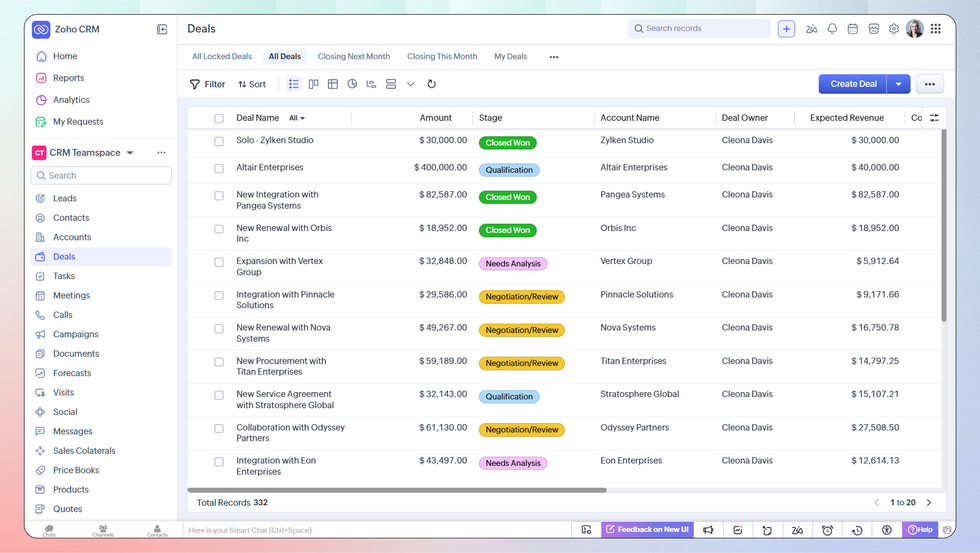
Starting price: Free for 3 users; Standard from $14/user/month; Professional $23/user/month; Enterprise $40/user/month
Best for: Cost-conscious mid-market teams that need a broad feature set without the premium price tag
G2 rating: 4.1/5 (2,900+ reviews)
Zoho is also the most common alternative to Salesforce for cost reasons. At $23/user/month, you get real workflow automation, territory management, multi-currency pipelines, and AI-powered lead scoring. Pair the Enterprise tier with Zoho Analytics, and you have an enterprise-grade reporting setup at roughly 40% of Salesforce’s equivalent cost.
The platform sits inside Zoho’s broader comprehensive suite of 45+ business applications. For companies already using Zoho Books, Zoho Desk, or Zoho Campaigns, the seamless integration across tools is fast and easy, making it straightforward to manage customer relationships without switching between platforms.
The tradeoff is setup time. Zoho gives you substantial configuration options, which means someone has to make decisions about how to use them. Teams that map their process first and configure second tend to get strong results. Teams expecting a plug-and-play experience underestimate the initial investment.
| Pros: | Cons: |
|---|---|
| • Price-to-feature ratio • Useful automation at mid-tier pricing • 45+ integrated Zoho apps • Multi-currency • Extensive customization | • Less stylish UI • More complicated initial setup • Smaller third-party ecosystem than Salesforce • Phone support limited on lower tiers |
Pipedrive
Starting price: Essential from $14/user/month; Advanced $29/user/month; Professional $59/user/month; Enterprise $99/user/month
Best for: Sales-first teams of 10–50 reps who need a clear visual pipeline and fast setup without marketing complexity
G2 rating: 4.3/5 (4,000+ reviews)
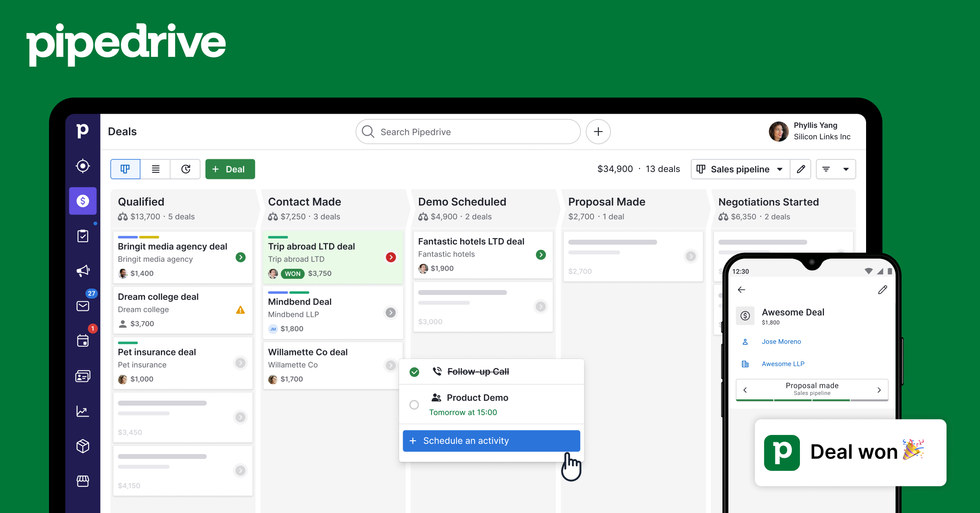
Pipedrive was designed around the sales rep’s workday. The visual sales pipeline is the highlight of this Salesforce alternative. It is fast to update and structured around activities, so deal management and task management are intuitive. New team members can be productive within a day or two, which is an operational advantage compared to heavier platforms.
Pipedrive does not try to be an all-in-one suite. It tracks deals, manages activities, and moves sales reps toward the next action. Teams whose primary use case is exactly that will definitely like this approach. Users who need lead and deal management alongside marketing automation features or customer support workflows will have to add extensions.
Among the platforms on this list, Pipedrive offers the fastest time to value after implementation. This is relevant if you are moving off a system mid-quarter and need the team operational quickly.
| Pros: | Cons: |
|---|---|
| • Visual pipeline • User-friendly design • Strong activity tracking • Reliable mobile app • Fast implementation | • No free plan • Limited native marketing automation • Less detailed reporting than HubSpot or Zoho offer • Integrations required for anything outside core sales use cases |
Microsoft Dynamics 365 Sales
Starting price: Sales Professional from $65/user/month; Sales Enterprise from $95/user/month
Best for: Companies already running Microsoft 365 across the business
G2 rating: 3.8/5 (1,600+ reviews)
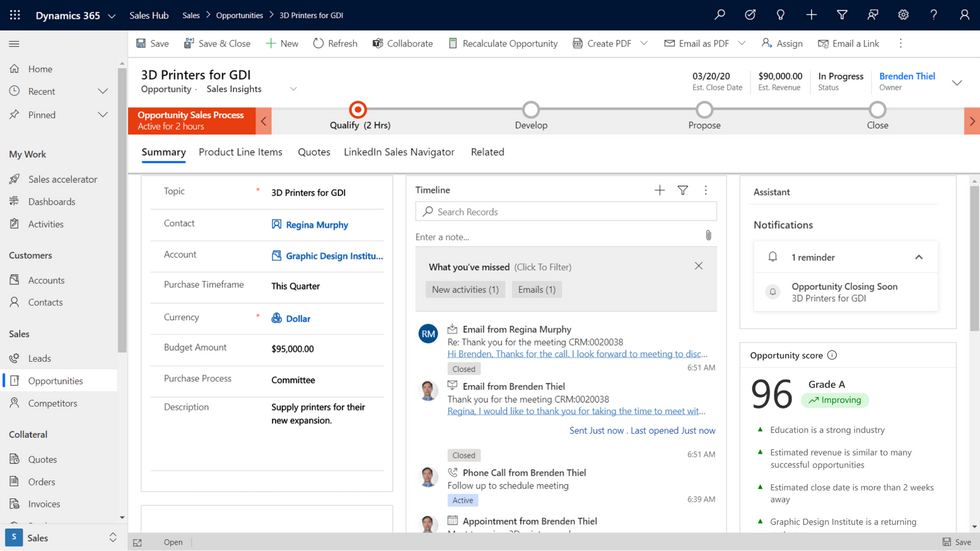
Microsoft Dynamics CRM is a reasonable choice for organizations running Microsoft 365, Teams, SharePoint, and Power BI. It extends what is already in place instead of adding a new system to manage. Copilot gives users AI-assisted deal summaries, email drafting, and recommended next steps at no additional cost. Therefore, teams can deliver exceptional customer experiences without extra tooling.
As a Salesforce CRM alternative for Microsoft-first companies, Dynamics is the natural fit. Outside that ecosystem, it carries the same implementation weight as Salesforce without the Salesforce partner network to offset it, and it demands considerable technical expertise to configure properly. In those cases, HubSpot, Zoho, or Pipedrive will typically deliver comparable outcomes with lower complexity and cost.
| Pros: | Cons: |
|---|---|
| • Native integration across the Microsoft 365 stack • Copilot AI included in licensing • Power BI reporting without additional connectors • Native LinkedIn Sales Navigator | • High implementation complexity outside the Microsoft ecosystem • Costs rise quickly with Azure and Power BI add-ons • Less extended partner ecosystem than Salesforce |
Freshsales (Freshworks CRM)
Starting price: Growth from $9/user/month; Pro $39/user/month; Enterprise $69/user/month
Best for: Mid-market teams that want AI-driven sales automation tools without the enterprise price tag
G2 rating: 4.5/5 (1,200+ reviews)
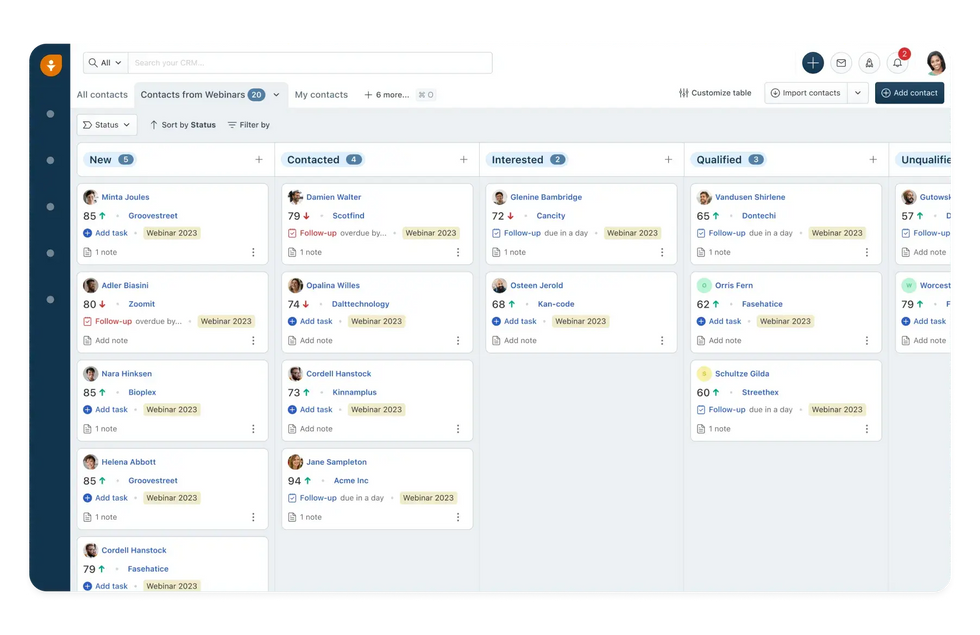
Freshsales is the most competitively priced serious CRM on this list. At $9/user/month for Growth, it undercuts most comparable platforms substantially, and the Pro tier at $39/user still costs less than many competitors’ entry plans.
For teams specifically looking for Salesforce alternatives with AI coaching features, Freddy AI is a strong answer. Lead scoring, deal health signals, email intelligence, and next-step recommendations help teams understand customer behavior and prioritize the right deals across accessible pricing tiers, unlike Salesforce’s Agentforce with a hefty price tag.
The platform also fits into the Freshworks ecosystem. You can use Freshdesk as customer service software for support, and Freshmarketer for campaigns, reducing integration overhead for companies that want more than a standalone CRM. The main limitation is ecosystem breadth. Freshsales has fewer third-party integrations than HubSpot or Salesforce, which matters if your stack includes less common tools.
| Pros: | Cons: |
|---|---|
| • Lowest entry price among major CRMs • Freddy AI available to all users • Clean and modern interface • Built-in calling and email • Integrates with Freshdesk and Freshmarketer | • Fewer third-party integrations than HubSpot or Salesforce offer • Reporting depth trails enterprise platforms • Smaller brand presence may affect executive buy-in |
Creatio
Starting price: Growth from $25/user/month; Enterprise pricing on request
Best for: Companies with complex, non-standard sales or service processes that need automation without custom development
G2 rating: 4.6/5 (350+ reviews)
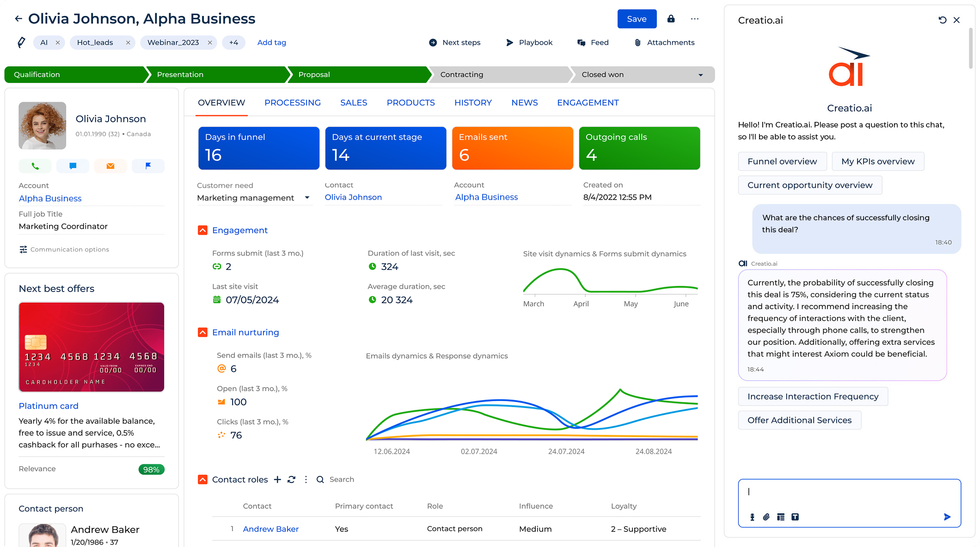
Creatio’s unique feature is its no-code process designer. Customer service teams and operations assistants alike can build multi-step workflows, approval chains, and dynamic routing rules that on Salesforce would require Apex development. Creatio lets business-side users make and adjust those processes without involving engineering, cutting out repetitive tasks across the board.
As one of the more distinctive Salesforce platform alternatives, Creatio moved to a composable pricing model in 2026 – a platform plan plus Sales, Marketing, or Service modules at $15/user/month each. That structure lets companies pay for the capabilities they use rather than bundled tiers where half the features go untouched.
The platform works best for organizations with a dedicated operations owner who will invest time in building and maintaining the process layer. It is not a quick setup. But for companies whose workflows don’t fit standard CRM templates, that investment pays off.
| Pros: | Cons: |
|---|---|
| • No-code process automation • Composable pricing • AI capabilities available at non-enterprise tiers | • Takes time to master • Requires operational ownership to get full value • Few third-party integrations |
monday CRM
Starting price: Basic from $12/month; Standard $17/user/month; Pro $28/user/month; Enterprise on request
Best for: Teams where sales activity and project delivery overlap significantly
G2 rating: 4.5/5 (1,600+ reviews)
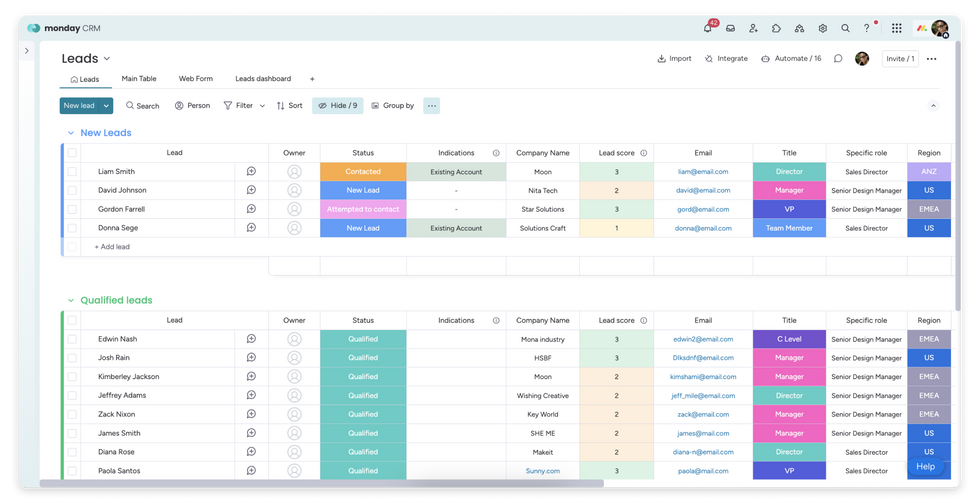
monday CRM works well when a deal doesn’t end at close. For agencies, consultancies, and services businesses where the sale leads directly into a project, the board-based structure lets sales and delivery teams work in the same tool without duplicating data across systems. It effectively combines CRM with project management tools, so deal tracking, task management, and status visibility are handled through one interface.
Among popular alternatives to Salesforce for project-based businesses, monday CRM stands out from the crowd with its user-friendly CRM approach and flexible business tools. It doesn’t support deep pipeline management the way Pipedrive does, and it does not match HubSpot or Zoho on reporting depth. But for teams already running operations on monday.com, extending into CRM is a smart move.
| Pros: | Cons: |
|---|---|
| • Strong fit for project-based sales teams • Fast adoption • Visual and flexible environment • Works well inside existing monday.com setups | • Limited pipeline management compared to dedicated sales CRMs • Lighter marketing automation • Reporting calls for improvement |
SugarCRM (now SugarAI)
Starting price: Sugar Sell Standard $59/user/month; Advanced $85/user/month; Premier $135/user/month — 15-seat minimum
Best for: Mid-market companies with complex data models and a need for deep customization or on-premises deployment
G2 rating: 4.1/5 (10+ reviews)
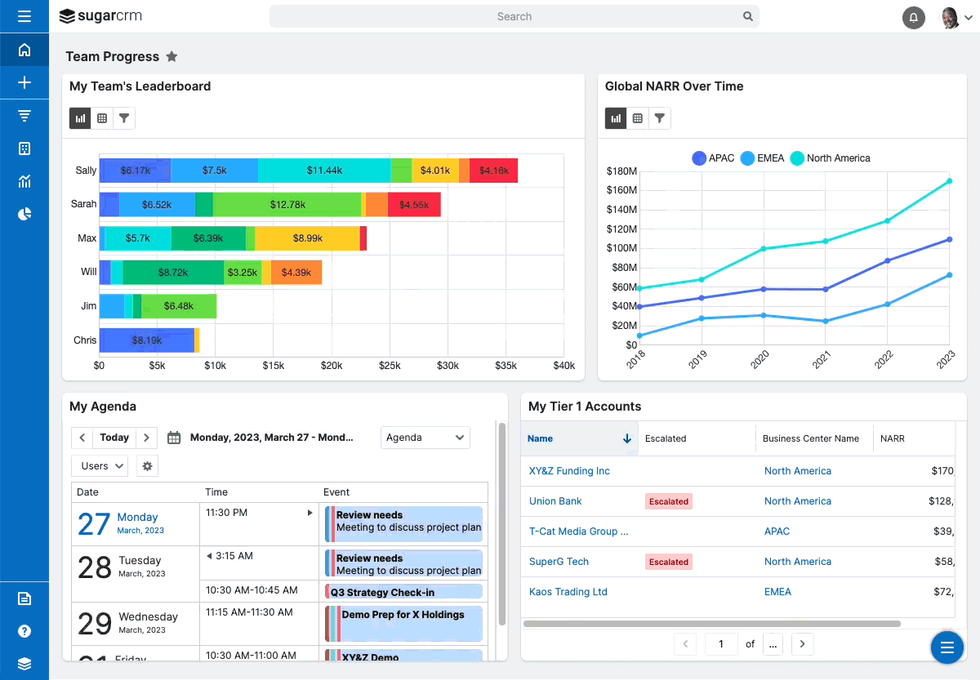
SugarCRM, now operating as SugarAI, has a flexible customization framework built up over years in production. Custom modules, field-level control, advanced workflow rules, and on-premises deployment options give technical teams room to shape the system to their data model. The Precision Selling update adds predictive analytics and AI-driven sales forecasting at a price point that competes with Salesforce Einstein for equivalent capability.
For mid-market companies evaluating SFDC alternatives that offer stronger customer data control and on-premises flexibility, SugarAI is worth serious consideration. Still, keep in mind that the platform requires a 15-seat minimum, setting the real entry cost at $10,620/year for Standard, and the interface is less current than newer platforms, which tends to affect account management and adoption rates.
| Pros: | Cons: |
|---|---|
| • Deep customization framework • Predictive AI forecasting • On-premise option available • Strong fit for non-standard data models | • 15-seat minimum requirement • Dated interface • Learning phase • Smaller partner ecosystem |
Copper CRM
Starting price: Starter from $9/user/month; Basic $23/user/month; Professional $59/user/month; Business $99/user/month
Best for: Teams running entirely on Google Workspace
G2 rating: 4.5/5 (1,100+ reviews)
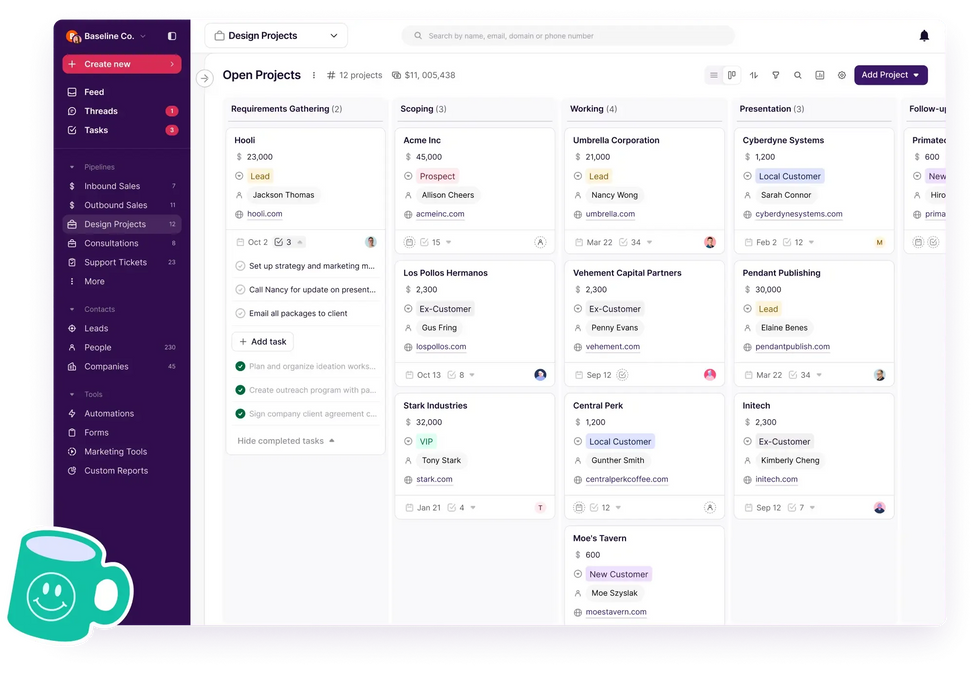
Copper integrates neatly with Google Workspace, letting you access contacts, deals, activity history, and pipeline updates directly in Gmail and Google Calendar. Sales reps can manage all customer interactions and run their entire workflow without opening a separate application, so context-switching will no longer hamper CRM adoption.
As a Salesforce alternative for businesses operating entirely within Google Workspace, Copper directly addresses the adoption problem that kills most CRM rollouts. Still, outside Google Workspace, the platform loses most of its differentiating value. You pay for a CRM with limited marketing and customer service features and lighter reporting than most alternatives at a similar price point.
| Pros: | Cons: |
|---|---|
| • Native Gmail and Google Calendar integration • Minimal data entry required • Fast to set up • Strong adoption rates within its target use case | • Mainly relevant for Google Workspace teams • Limited marketing automation • Reporting could be more detailed |
Close CRM
Starting price: Startup from $49/user/month; Professional $99/user/month; Business $149/user/month
Best for: Inside sales teams with high outbound activity across calling, email, and SMS
G2 rating: 4.7/5 (2,700+ reviews)
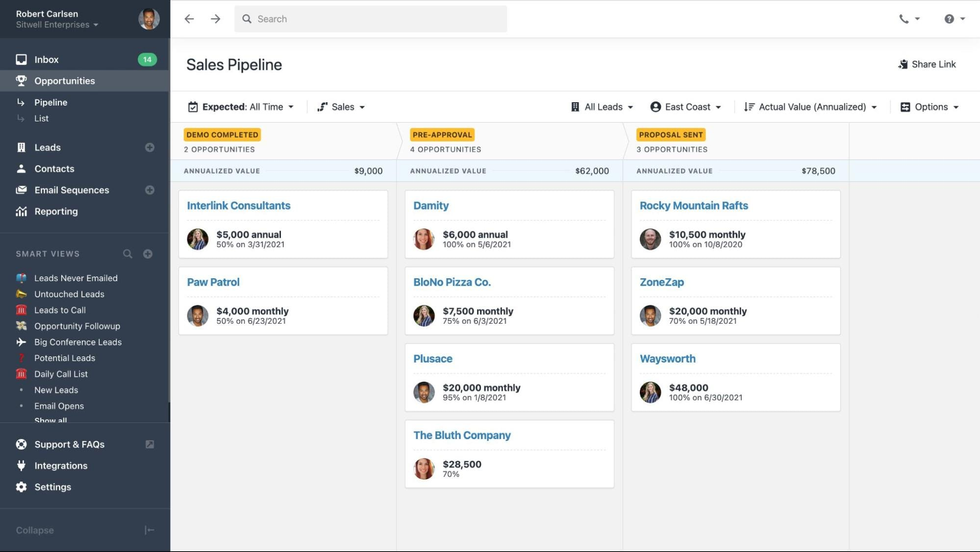
Close will come in handy for sales teams that measure sales performance in calls per day. Calling, SMS, and email sequences are available right on the platform. The activity feed depends on outbound cadences, while the interface prioritizes speed.
For teams looking at top alternatives to Salesforce AI CRM automation for high-volume outbound, Close consolidates the necessary toolset. The pricing model matches the use case. Calling and SMS are billed as usage credits on top of seat costs, which is predictable once you know your volumes. If your team doesn’t make a high volume of outbound calls, Close’s pricing is hard to justify. Cheaper options on this list will cover your needs better.
| Pros: | Cons: |
|---|---|
| • Built-in calling, SMS, and email sequences • Strong activity feed for outbound cadences • Straightforward interface • Reliable mobile app | • High entry price • Usage-based calling costs scale with activity • Limited customization compared to heavier platforms • Not suited for teams needing CRM & marketing automation |
Comparison Table
Use this to shortlist your options at a glance. Pricing reflects the tier mid-market teams actually need, with automation and reporting included, not the cheapest advertised plan.
Best Alternatives to Salesforce
| CRM Platform | Starting Price (useful tier) | Best For | AI Features | Ease of Setup | G2 Rating |
|---|---|---|---|---|---|
| HubSpot CRM | ~$450/mo (Pro, 1 seat) | Inbound-driven mid-market | Breeze AI (strong) | ★★★★★ | 4.4/5 |
| Zoho CRM | $23/user/mo (Pro) | Cost-conscious mid-market | Zia AI (solid) | ★★★★ | 4.1/5 |
| Pipedrive | $29/user/mo (Advanced) | Sales-first teams, 10–50 reps | Limited | ★★★★★ | 4.3/5 |
| MS Dynamics 365 | $65/user/mo (Pro) | Microsoft 365 shops | Copilot (strong) | ★★★ | 3.8/5 |
| Freshsales | $9/user/mo (Growth) | AI-led sales at low cost | Freddy AI (strong) | ★★★★★ | 4.5/5 |
| Creatio | $25/user/mo (Growth) | No-code process automation | Built-in AI layer | ★★★★ | 4.6/5 |
| monday CRM | $17/user/mo (Standard) | Project-based sales teams | Moderate | ★★★★★ | 4.5/5 |
| SugarCRM / SugarAI | $59/user/mo (15-seat min) | Deep customisation, mid-market+ | Predictive AI (strong) | ★★★ | 4.1/5 |
| Copper CRM | $9/user/mo (Starter) | Google Workspace teams | Light | ★★★★★ | 4.5/5 |
| Close CRM | $49/user/mo (Startup) | Inside sales, high call volume | Light | ★★★★★ | 4.7/5 |
Open-Source Salesforce Alternatives Worth Considering
If you want to have full data ownership and the freedom to customize without vendor permission, open-source Salesforce alternatives deserve a place on your shortlist. The platforms below are free to self-host. You pay for infrastructure and maintenance, not licenses. For companies with legacy software modernization needs, these self-hosted options can be especially valuable since they offer full control over customer data migration and integration capabilities with existing systems.
SuiteCRM
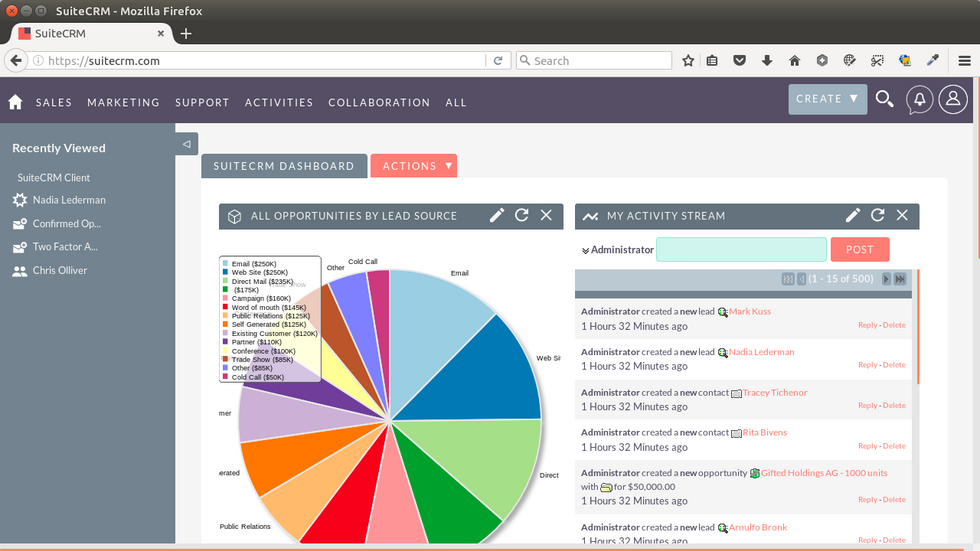
SuiteCRM has an origin story worth knowing. In 2013, SugarCRM, at the time the leading open-source CRM, shut down its community edition and went fully commercial. A UK-based partner called SalesAgility took the last open version, forked it, and continued development independently. That fork became SuiteCRM.
Today it covers the full CRM surface, including sales pipeline management, email automation, quoting, contact management, and reporting. All these features are self-hosted and free. For companies evaluating a Salesforce open-source alternative that matches Salesforce’s functional breadth, SuiteCRM comes closer than anything else in this category. The user base spans private companies, government agencies, and enterprises with specific data residency requirements a SaaS platform cannot accommodate.
Still, be mindful of technical capacity. SuiteCRM rewards teams that can invest in proper setup and ongoing administration. If your team has that capacity, or can engage a hosting partner, it is the most capable free CRM available.
EspoCRM
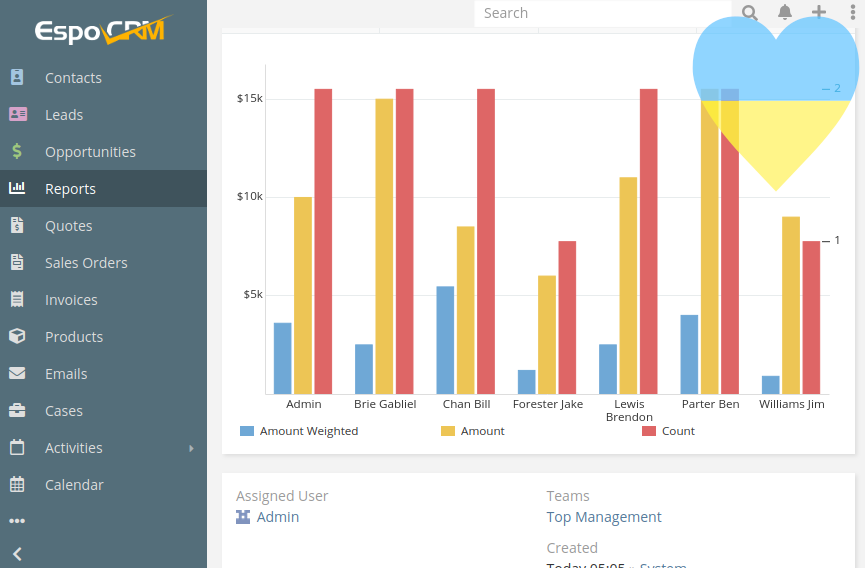
EspoCRM sits in a practical middle ground that most open-source comparisons miss. It is not as feature-heavy as SuiteCRM and does not try to be. It offers a user-friendly interface, a straightforward setup process, and a workflow engine that handles the automations most sales teams actually need, without requiring a developer to configure them.
Cloud hosting starts at $15/user/month, making it one of the more affordable managed options in the open-source category. Self-hosting is equally well-documented and runs on modest infrastructure. As a user-friendly CRM alternative to Salesforce for smaller mid-market teams, EspoCRM is a great option.
It won’t replace Salesforce feature-for-feature. But it suits teams that prioritize data ownership and an independent CRM.
Odoo CRM
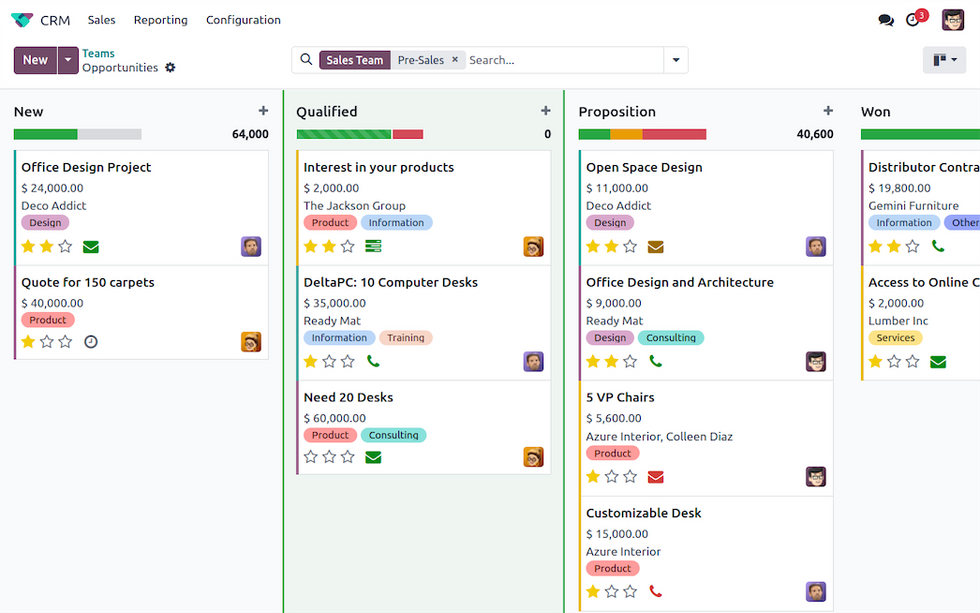
Odoo is not a CRM with add-ons. It is a full business growth platform that includes a CRM module. You get access to sales pipeline management, ERP, accounting, HR, inventory, e-commerce, and project management tools within one self-hosted deployment space. For growing mid-market companies running 4–5 separate tools, consolidating onto Odoo can reduce both integration costs and the administrative overhead, all while improving customer engagement across the business.
The community edition is free and covers the core modules. The enterprise edition adds more advanced features, additional modules, and official support for a per-user fee. Either way, it positions Odoo as one of the strongest alternatives to Salesforce SaaS for companies that want to consolidate rather than simply replace their CRM.
One practical note applies to all three platforms above. Self-hosting means your data stays under your control, but backups, security patching, and uptime become your responsibility. Budget time or a hosting partner accordingly.
When None of the Off-the-Shelf Alternatives Fit
Most CRM comparison articles assume the right platform already exists, so you just need to get it. That assumption isn’t always correct.
Off-the-shelf CRMs are meant to accommodate most common sales processes – standard pipeline stages, typical deal structures, and predictable automation needs. That works well for a large share of businesses. But if your sales cycle looks different from a textbook B2B deal, you will spend considerable time and budget trying to make the platform behave like something it was never designed to be. Configuration can be slightly helpful, but it never solves the key problem.
Look through the list below. If more than one point describes your business, a standard platform can hardly cater to your needs:
Non-standard deal structures: milestone billing, multi-stakeholder approvals, or project-linked sales.
Industry-specific data models that don’t map to standard CRM objects.
Legacy systems and proprietary tools with no off-the-shelf connector available.
Compliance requirements – HIPAA, GDPR, or sector regulations limiting SaaS data storage.
Proprietary sales processes that form part of your competitive advantage.
The pattern repeats across industries. A company buys Salesforce or a well-regarded alternative. The first few months go to configuration. The next few go to workarounds. Eventually, the team ends up with a system that can’t fully cover their operational needs or deliver exceptional customer experiences they prioritize.
That’s the point when companies start to consider custom CRM development to get a bespoke solution. If this situation sounds familiar, Acropolium’s team of enterprise software development specialists can build CRM systems that align with your business processes.
Custom CRM vs Off-the-Shelf: How to Decide
The choice between ready-made CRM and a custom build can be challenging. Both options have a legitimate place, but the context is different. A platform that works perfectly for a 30-person SaaS company can be the wrong tool entirely for a 30-person manufacturing business with a non-standard sales cycle. Before comparing prices, you need to focus on your business workflow. The table below makes the distinction easy to notice. Off-the-shelf CRM vs Custom CRM
| An off-the-shelf program fits if: | A custom solution is better if: |
|---|---|
| • Sales process maps to standard pipeline stages • Team size is under 50, and you need to master the tools fast • You don’t have complex compliance or data residency requirements. • You’re comfortable with the platform’s pricing as your team grows. • Standard integrations with common third-party tools are sufficient. • It is a well-documented platform the team already knows. | • Business logic doesn’t align with standard CRM objects. • You spend more than 40% of your license cost on customization and workarounds. • You have industry-specific compliance requirements that SaaS platforms handle poorly. • Your current platform requires constant admin attention just to keep working as expected. • You rely on proprietary systems or legacy tools with no off-the-shelf connector. • The system doesn’t satisfy you even after in-depth customization. |
How Acropolium Helps Mid-Market Companies Move Off Salesforce
Switching CRM platforms is a bigger undertaking than most teams expect. You need to rebuild workflows, reconnect integrations, master new tools, transfer data, and ensure the data that arrives in the new system is clean, correctly mapped, and usable. Reliable backend development services are often essential to make these integrations work smoothly across your existing tech stack.
Acropolium works with mid-market companies that have outgrown Salesforce or never quite fitted it in the first place. We do our best to understand your sales process and unique needs before any build decisions are made.
For companies that have already concluded that off-the-shelf isn’t the right direction, our experts can build custom CRM systems.
When working on your CRM project, we offer:
Full audit of your current customer data before migration begins;
Sales process mapping to define the right data model and sales pipeline management structure;
Custom build or platform configuration based on your actual requirements;
Integration with your existing business tools – ERP, billing, marketing, support;
Data migration and legacy migration services for complex or outdated system transitions;
Team training tailored to how your reps work day to day;
Post-launch support to resolve customer inquiries before they affect the team;
Clear scope and timeline agreed upfront.
Conclusion
No single platform on this list is the right answer for every mid-market company. The best Salesforce alternatives in 2026 vary by sales model, tech stack, customer relationships, customization and integrations, as well as pricing. If none of the options fit cleanly, treat that as useful information. Your process may be specific enough to require a tailor-made solution rather than a templated platform.